보안 아키텍처
Apple은 오늘(11월 12일) 새로운 블로그 게시물을 통해 iPhone 18 Pro 등 기기를 위한 새로운 "보안 격리 구역(Secure Exclaves)" 아키텍처를 자세히 설명하고, 개인 정보 보호의 "수문장" 역할을 하는 표시등의 비밀을 공개했습니다.
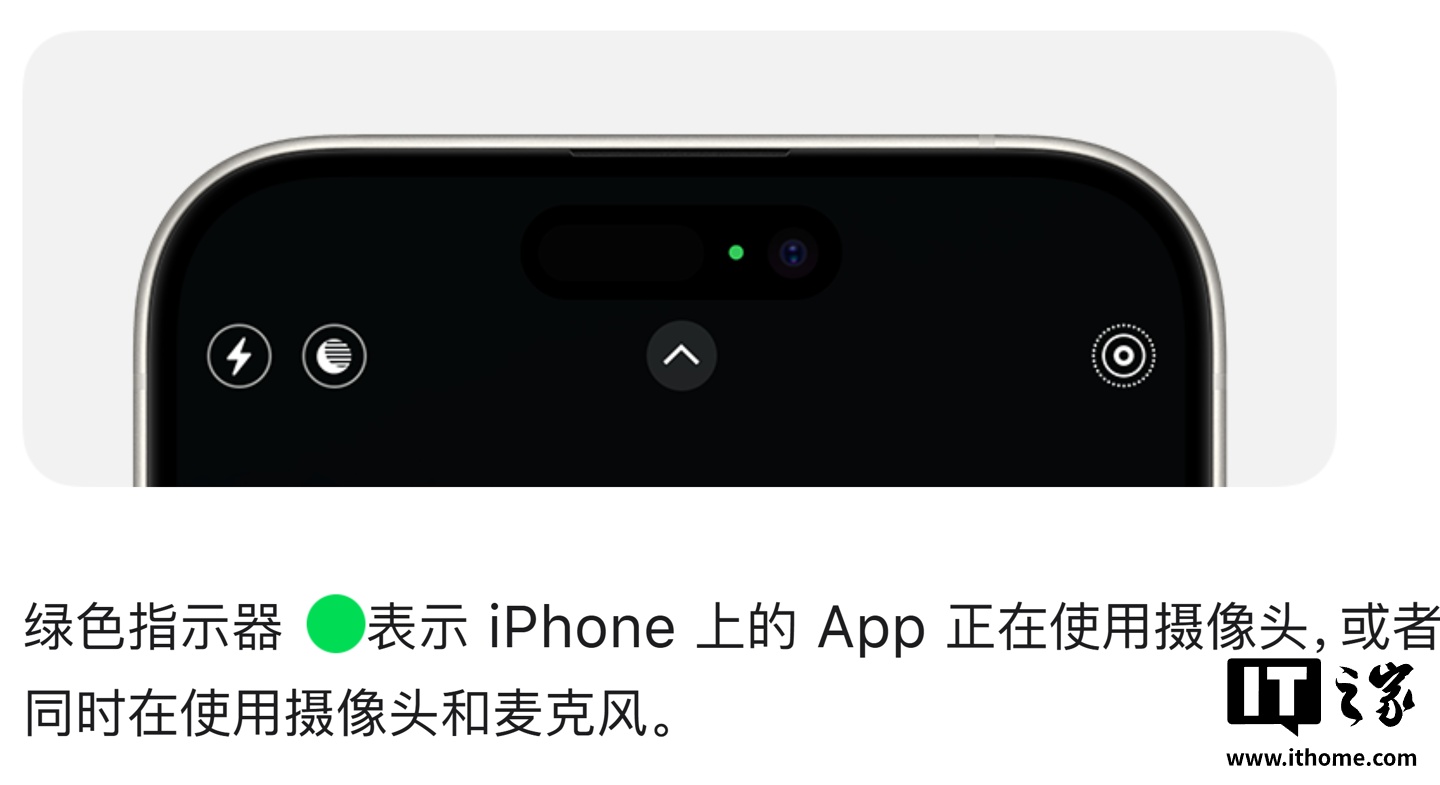
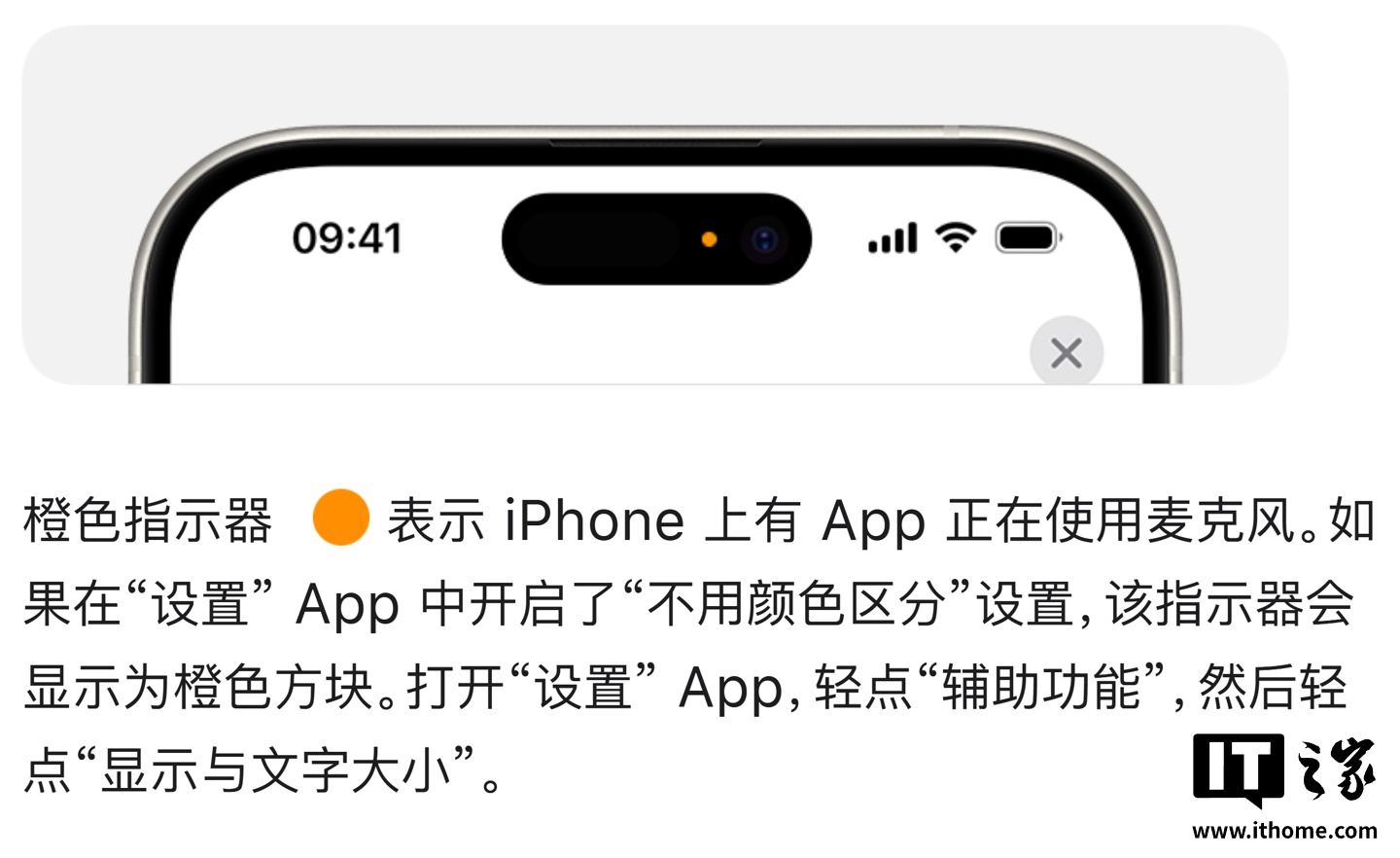
iPhone 18 Pro 등 기기 사용자는 주로 기기의 표시등(하드웨어 LED 또는 화면의 작은 점)에 의존하여 카메라나 마이크가 켜져 있는지 여부를 판단합니다. 그렇다면 이 알림 점이 악성 소프트웨어에 의해 가려지거나 어둡게 처리되어 사용자가 모르는 사이에 도촬 또는 도청을 당할 가능성은 없을까요?
이에 대해 Apple은 새로운 블로그 게시물에서 이러한 우려를 해소하기 위해 "표시기 컨트롤러(Exclave Indicator Controller)"라는 격리된 구성 요소를 총괄 제어 장치로 특별히 설정했다고 밝혔습니다. 표시기가 켜져 있고 충분한 시간 동안 계속 표시되는 것이 확인되어야만 데이터가 주 시스템으로 전달될 수 있습니다. 여러 앱이 동시에 오디오 및 비디오를 요청할 경우, 이 컨트롤러는 요청을 조율하여 해당 알림이 표시되도록 보장합니다. 공식 소개 스크린샷은 다음과 같습니다.
화면의 작은 점을 사용하는 iPhone의 경우, Apple은 디스플레이 서브시스템 내의 전용 하드웨어를 활용하여 실제로 그려진 픽셀을 확인하는 디스플레이 격리 구역을 설정했습니다. 확인 내용은 표시점의 색상, 모양, 표시 시간, 최소 밝기, 그리고 주변 픽셀이 가시성에 영향을 미치는지 여부를 포함하며, 단순히 시스템이 "작은 점을 그렸다"고 보고하는 것만으로는 통과시키지 않습니다.
이러한 확인 절차는 "Night Shift"와 같이 디스플레이 효과를 변경하는 모드도 고려합니다. 디스플레이 컨트롤러의 신뢰할 수 있는 펌웨어는 정확한 백라이트 값을 제공하여 디스플레이 격리 구역이 알림이 가시성 요구 사항을 충족하는지 판단하는 데 도움을 줍니다. Apple이 설명한 iPhone 18 Pro의 "Hey Siri" 프로세스에서, 확인이 통과된 후에야 오디오가 주 시스템의 Siri 프로세스로 전달됩니다. 표시점은 최소 3초 동안 표시되며 오디오 세션이 끝날 때까지 지속됩니다.
Secure Exclaves and Ambient Sensing
총평
Apple은 iPhone 18 Pro 등 기기의 개인 정보 보호를 강화하기 위해 "보안 격리 구역" 아키텍처와 "표시기 컨트롤러"를 도입했습니다. 이 시스템은 카메라 및 마이크 사용 시 표시등이 악성 소프트웨어에 의해 조작되지 않도록 보장하며, 표시등의 가시성을 하드웨어 수준에서 검증합니다. 이를 통해 사용자는 자신의 기기에서 오디오 및 비디오 녹화가 이루어지는지 여부를 더욱 신뢰할 수 있게 됩니다.
Apple全新隐私架构:安全隔离区(Secure Exclaves)
Apple公司发布了面向 iPhone 18 Pro 等设备的全新“安全隔离区”(Secure Exclaves)架构,旨在解决恶意软件可能遮挡或调暗摄像头和麦克风指示灯的问题,从而增强用户在设备使用过程中的隐私保护。
核心硬件组件与数据流控制
- 指示器控制器(Exclave Indicator Controller): 被设立为总闸门,负责监管音视频数据的流动。
- 只有当系统确认指示器已开启并持续显示足够时间后,才允许数据流向主系统。
- 该组件能够协调多个应用同时请求音视频资源时的提示显示,确保相应的隐私提示得以展示。
屏幕可见性与像素级检测
为了防止恶意软件通过修改显示层来欺骗用户或系统,Apple在屏幕小圆点上设置了“显示隔离区”,该区域利用专用硬件进行深度检查。
- 检测内容: 不仅依赖于系统报告,而是直接检查实际绘制的像素,包括指示点的颜色、形状、显示时长、最低亮度,以及周围像素是否影响其可见性。
环境适应性与安全流程要求
该隔离区的设计考虑了多种复杂的显示场景和使用流程,确保隐私提示在任何情况下都是可信的。
- 模式兼容性: 检查机制会考虑到“夜览”(Night Shift)等改变显示效果的系统模式。
- 亮度保障: 显示控制器中的可信固件提供精确背光数值,帮助隔离区判断提示是否达到预设的可见要求。
- 使用流程示例(Hey Siri): 在通过安全检查后,音频数据才会交给主系统的 Siri 进程;同时,指示点必须至少显示三秒,并持续到音频会话结束。
总结
Apple通过引入“指示器控制器”和“显示隔离区”等硬件级机制,构建了一套多层次的隐私保护系统。该架构实现了从数据流向控制到像素级别可视性检测的全流程安全保障,显著提升了用户对设备摄像头和麦克风使用状态的可信赖度。
セキュリティアーキテクチャ
Appleは本日(11月12日)、新しいブログ投稿を通じて、iPhone 18 Proなどのデバイス向けに新しく「セキュア・エクスクレイブ(Secure Exclaves)」と呼ばれるアーキテクチャを詳細に説明し、プライバシーの「門番」役となるインジケーターライトの秘密を公開しました。
iPhone 18 Proなどのユーザーは、主にデバイスのインジケーター(ハードウェアLEDまたは画面上の小さな点)に頼って、カメラやマイクがオンになっているかどうかを判断しています。しかし、「この通知点が悪意のあるソフトウェアによって隠されたり、暗く処理されたりして、ユーザーが気づかないうちに盗撮や盗聴が行われる可能性はないか?」という懸念があります。
これに対しAppleは、新しいブログ投稿で、この懸念を解消するため「インジケーターコントローラー(Exclave Indicator Controller)」という隔離されたコンポーネントを、特別な総制御装置として設定したと発表しました。データがメインシステムに渡されるためには、インジケーターが点灯しており、一定時間継続して表示されていることが確認されなければなりません。複数のアプリが同時にオーディオおよびビデオの要求を行った場合でも、このコントローラーがリクエストを調整し、該当する通知が表示されることを保証します。公式紹介のスナップショットは以下の通りです。
画面上の小さな点を使用するiPhoneの場合、Appleはディスプレイサブシステム内に専用のハードウェアを活用し、「表示隔離領域(Display Exclave)」を設定しました。この確認プロセスでは、単にシステムが「小さな点を描画した」と報告されるだけでは通過せず、以下の要素が含まれます。
- インジケーター点の色
- 形状
- 表示時間
- 最小輝度
- 周囲のピクセルが視認性に影響を与えているか否か
この確認手順は、「Night Shift」のようにディスプレイ効果を変更するモードも考慮に入れています。信頼性の高いディスプレイコントローラーのファームウェアは、正確なバックライト値を提供することで、表示隔離領域が通知の視認性要件を満たしているかを判断するのに役立ちます。Appleが説明したiPhone 18 Proの「Hey Siri」プロセスでは、確認が完了した後でのみオーディオがメインシステムのSiriプロセスに渡されます。この際、インジケーター点は最低3秒間表示され、オーディオセッションが終了するまで継続します。
Secure Exclavesと環境感知機能
(※原文の小見出しに対応)
まとめ
Appleは、iPhone 18 Proなどのデバイスにおいて、プライバシー保護を強化するために「セキュア・エクスクレイブ」アーキテクチャと「インジケーターコントローラー」を導入しました。このシステムにより、カメラやマイク使用時に表示されるインジケーターライトがマルウェアによって操作されることを防ぎ、その視認性をハードウェアレベルで検証します。これにより、ユーザーは自身のデバイスでの音声・ビデオ録画の状況について、より高い信頼性を持つことができるようになります。
Security Architecture
In a new blog post released today (November 12), Apple detailed its new "Secure Exclaves" architecture for devices like the iPhone 18 Pro, and revealed the secrets behind the indicator lights that act as guardians of personal privacy.
Users of devices such as the iPhone 18 Pro typically rely on the device's indicator light (a hardware LED or a small dot on the screen) to determine if the camera or microphone is active. This raises concerns: could this notification dot be obscured or dimmed by malicious software, potentially leading to unauthorized eavesdropping or recording without the user knowing?
To address these concerns, Apple announced in the new blog post that it has designated an isolated component called the "Exclave Indicator Controller" as a dedicated master controller. Data can only be passed to the main system if it is confirmed that the indicator light is active and displayed for a sufficient duration. If multiple apps simultaneously request audio and video access, this controller coordinates the requests to ensure the corresponding notification is properly displayed. The official introduction screenshot is provided below.
For iPhones that use small dots on the screen, Apple established a display enclave within the display subsystem to verify the actual rendered pixel. Verification includes checking the indicator dot's color, shape, duration of display, minimum brightness, and whether surrounding pixels affect visibility. The system will not pass verification simply based on a report that the system "rendered a small dot."
This verification process also considers modes that change display effects, such as "Night Shift." Reliable firmware in the display controller provides accurate backlight values, helping the display enclave determine if the notification meets visibility requirements. In the "Hey Siri" process described for the iPhone 18 Pro, audio is only passed to the main system's Siri process after verification passes. The indicator dot must be displayed for a minimum of three seconds and remain active until the audio session ends.
Summary
Apple has introduced a "Secure Exclaves" architecture and an "Exclave Indicator Controller" to enhance privacy on devices like the iPhone 18 Pro. This system ensures that indicator lights cannot be manipulated by malicious software when the camera or microphone is in use, verifying the visibility of the indicator at the hardware level. This allows users greater confidence that audio and video recording are only occurring with their knowledge.