디스플레이 설정
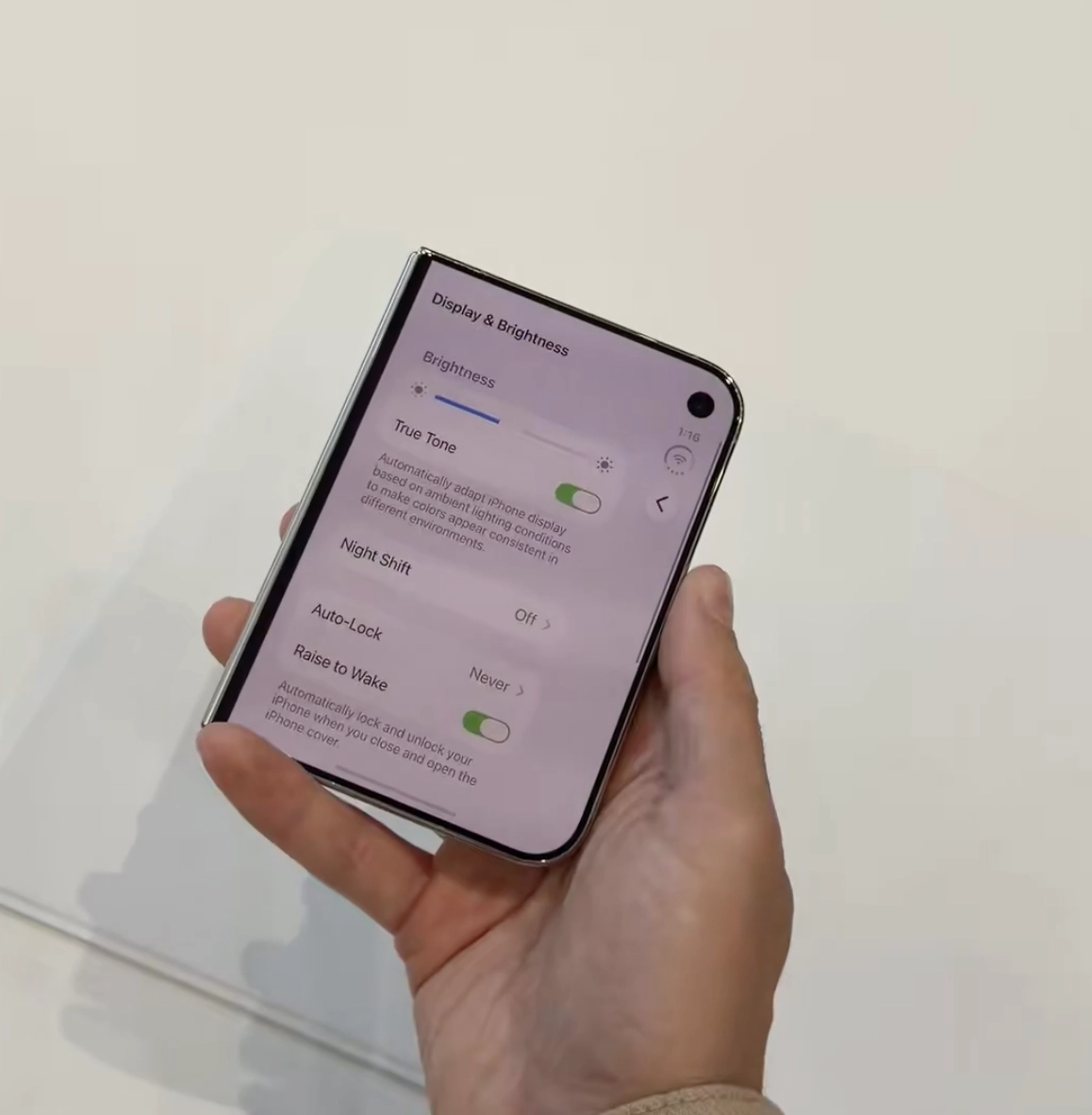
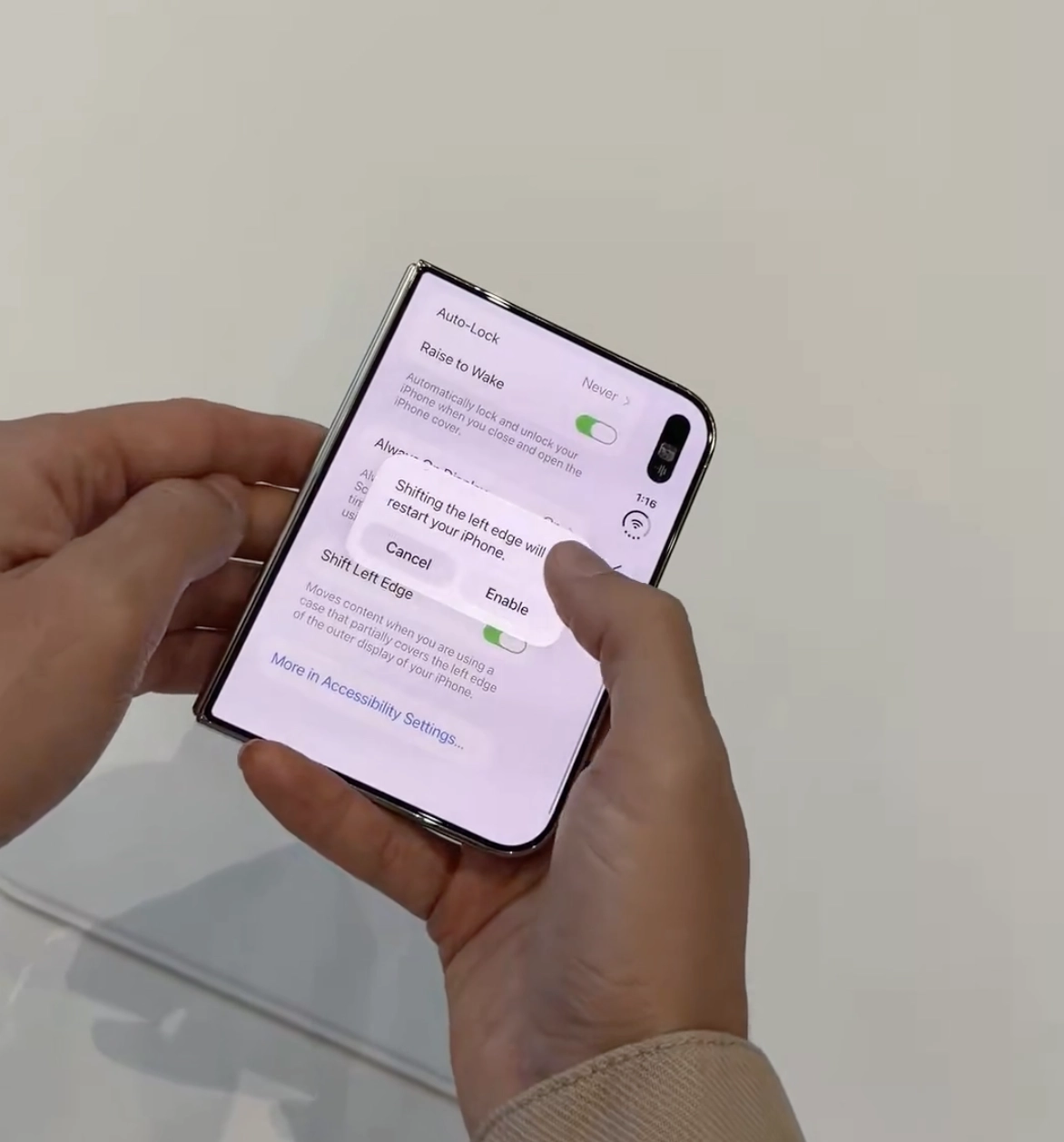
IT之家 9월 13일 외신 9to5Mac 보도에 따르면, 블로거 Nicolas Lellouche는 iPhone Duo를 사용하면서 시스템 설정을 자세히 살펴보던 중 디스플레이 설정에 "Shift Left Edge(왼쪽 가장자리 이동)"라는 새로운 옵션이 추가된 것을 발견했습니다.
iPhone Duo 시스템의 기능 설명에 따르면, 이 옵션은 주로 휴대폰에 보호 케이스를 장착했을 때 유용합니다. 일부 자석식 보호 케이스는 힌지에 부착될 때 iPhone 외부 화면의 왼쪽 가장자리를 약간 가려 외부 화면이 불완전하게 표시될 수 있습니다.
이러한 상황에 대응하기 위해 Apple은 "Shift Left Edge(왼쪽 가장자리 이동)" 기능을 설계했습니다. 이 기능을 켜면 iPhone Duo 외부 화면 왼쪽에 검은색 영역이 추가되어 "외부 화면 왼쪽의 검은색 베젤을 확장하고 표시 내용을 오른쪽으로 이동"하여 폴더블 가장자리를 피할 수 있습니다.
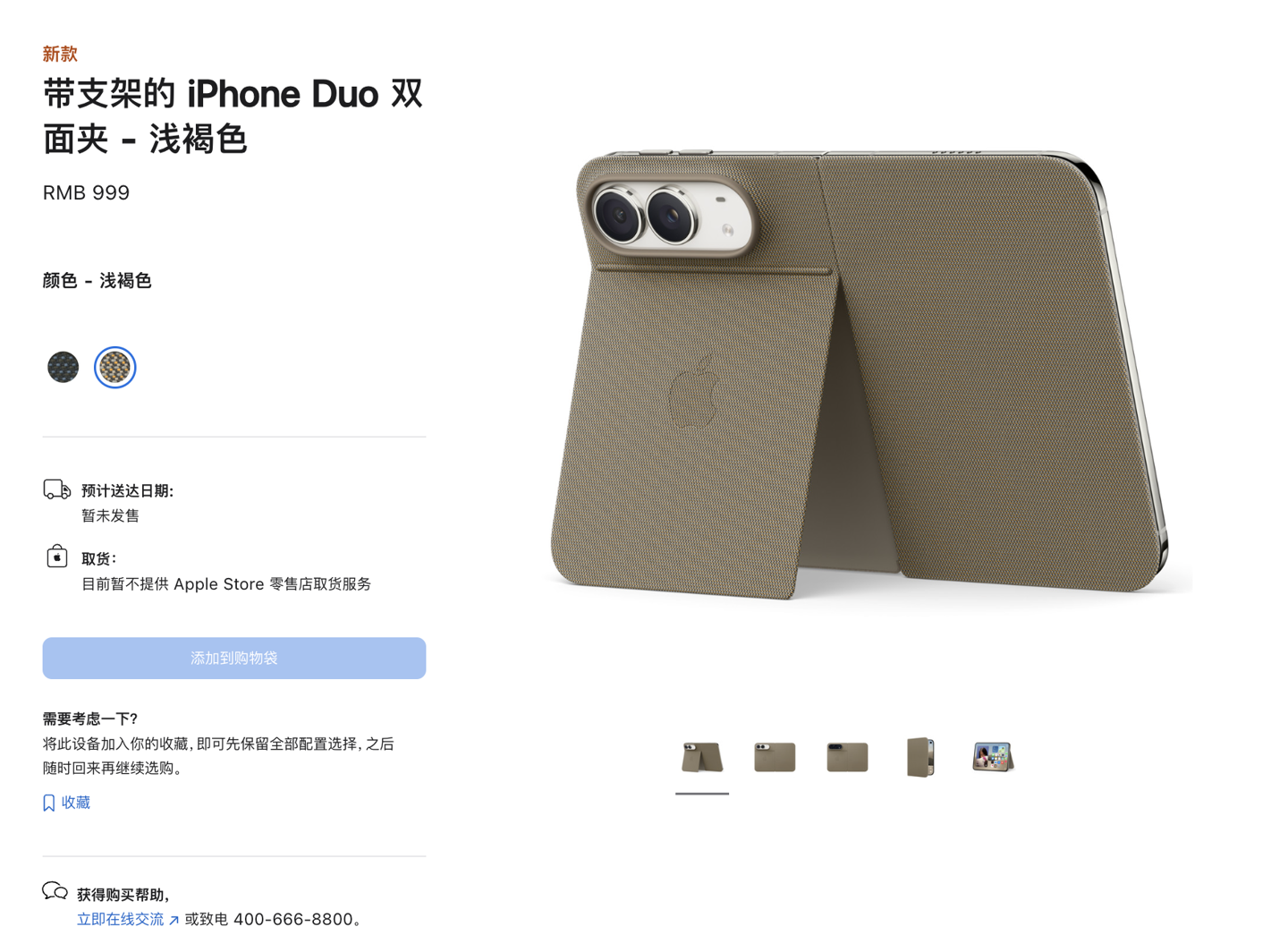
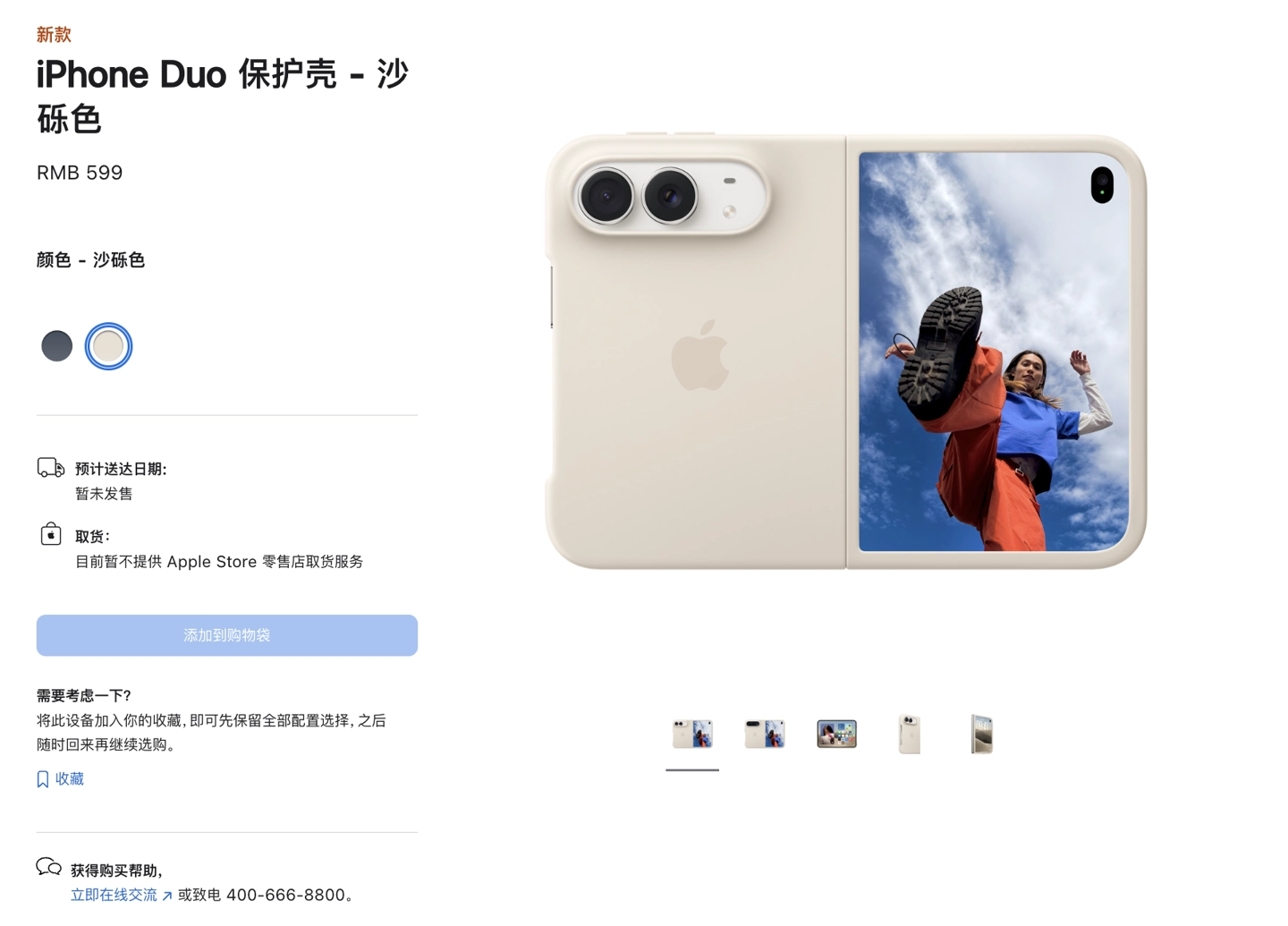
현재 Apple은 "iPhone Duo 보호 케이스(599위안)"와 "스탠드형 iPhone Duo Folio 듀얼 클립(999위안)" 두 가지 자체 보호 케이스를 제공하고 있습니다. iPhone Duo 출시일이 다가옴에 따라 타사 제조업체들이 더 두껍고 보호 기능이 강화된 보호 케이스를 출시할 것으로 예상됩니다. 이러한 제품들은 외부 화면의 왼쪽 가장자리를 부분적으로 덮을 수 있으며, Apple의 해당 설정은 주로 이러한 제품들을 위한 것으로 보입니다.
총평
Apple은 iPhone Duo의 디스플레이 설정에 "Shift Left Edge"라는 새로운 기능을 추가했습니다. 이 기능은 보호 케이스 사용 시 외부 화면 왼쪽 가장자리가 가려지는 문제를 해결하기 위해 고안되었습니다. 이 기능을 활성화하면 외부 화면 왼쪽에 검은색 영역이 추가되어 실제 표시 영역이 오른쪽으로 이동하여 화면 가림 현상을 방지합니다.
系统功能更新与发现
- 外媒报道指出,在上手体验 iPhone Duo 的过程中,用户发现在其“显示设置”中新增了一项名为“Shift Left Edge(左侧边缘偏移)”的选项。
“左侧边缘偏移”功能详解
- 该功能主要用于解决手机佩戴保护壳时外屏显示的遮挡问题,尤其适用于利用磁吸式保护壳吸附至铰链区域的情况。
- 当开启此设置后,iPhone Duo 外屏的左侧会增加一部分黑色区域(即“扩大外屏左侧的黑色边框”),从而将实际显示内容向右侧移动,以避开折叠边缘和物理遮挡物。
官方配件与市场预测
- 目前 Apple 提供了两款第一方保护壳:包括“iPhone Duo 保护壳”(售价 599 元)和“带支架的 iPhone Duo Folio 双面夹”(售价 999 元)。
- 鉴于随着 iPhone Duo 上市临近,预计第三方厂商会推出更厚重、防护性更强的保护壳。因此,该系统设置主要是为应对此类可能部分覆盖外屏左侧边缘的第三方的配件而设计的。
总结
本次发现的核心是 Apple 为其折叠屏设备 iPhone Duo 增设了“Shift Left Edge(左侧边缘偏移)”功能。此功能旨在通过软件调整,补偿用户在使用磁吸式或厚重保护壳时,外屏左侧因物理遮挡而导致的显示不完整问题。该设置预示着 Apple 对配件生态的深度考虑和优化。
ディスプレイ設定
IT之家が9月13日に報じた外信9to5Macによると、ブロガーのNicolas Lellouche氏がiPhone Duoを使用する中でシステム設定を詳しく確認したところ、「Shift Left Edge(左端シフト)」という新しいオプションがディスプレイ設定に追加されていることを発見しました。
iPhone Duoのシステム機能の説明によれば、このオプションは主にスマートフォンに保護ケースを取り付けた際に役立つものです。一部のマグネット式保護ケースは、ヒンジ部分に取り付ける際、iPhone外部画面の左端をわずかに覆い隠し、外部画面が不完全な状態で表示されてしまう可能性があります。
このような状況に対応するため、Appleは「Shift Left Edge(左端シフト)」機能を設計しました。この機能をオンにすると、iPhone Duoの外部画面の左側に黒色の領域が追加され、「外部画面の左側の黒いベゼルを拡張し、表示内容を右に移動させる」ことで、折りたたみ部分による画面の隠れを防ぐことができます。
現在、Appleは「iPhone Duo保護ケース(599元)」と「スタンド型 iPhone Duo Folio デュアルクリップ(999元)」という2種類の純正保護ケースを提供しています。iPhone Duoの発売が近づくにつれて、サードパーティメーカーからより厚く、保護機能が強化された保護ケースが多数登場すると予想されています。これらの製品は外部画面の左端を部分的に覆い隠すことがあり、Appleが提供するこの設定は、主にそうしたサードパーティ製製品向けであると考えられます。
まとめ
Appleは、iPhone Duoのディスプレイ設定に「Shift Left Edge」という新機能を搭載しました。この機能は、保護ケース使用時に外部画面の左端が覆い隠される問題を解決するために考案されたものです。本機能を有効にすることで、外部画面の左側に黒色の領域が追加され、実際の表示エリア全体が右にシフトし、画面の視認性を維持することができます。
Display Settings
According to a report from 9to5Mac on September 13th, published by IT之家, blogger Nicolas Lellouche discovered a new option called "Shift Left Edge" within the display settings while examining the system configurations of the iPhone Duo.
The function description for the iPhone Duo system indicates that this setting is particularly useful when the phone is equipped with a protective case. Some magnetic cases can slightly cover the left edge of the external screen when attached to the hinge, potentially causing the external display to appear incomplete.
To address this issue, Apple designed the "Shift Left Edge" feature. When activated, this function adds a black area to the left side of the iPhone Duo's external screen, effectively extending the black bezel on the left and shifting the displayed content to the right, thereby avoiding coverage issues caused by foldable edges.
Currently, Apple offers two proprietary cases: the "iPhone Duo Protective Case" (599 yuan) and the "Stand Folio iPhone Duo Dual Clip" (999 yuan). As the launch date for the iPhone Duo approaches, it is anticipated that third-party manufacturers will release thicker, more protective cases. These products may partially cover the left edge of the external screen, suggesting that Apple's new setting is primarily designed for such accessories.
Summary
Apple has added a new "Shift Left Edge" feature to the iPhone Duo's display settings. This function was developed to resolve issues where protective cases obscure the left edge of the external screen. Activating this setting adds a black area to the left side, shifting the actual displayed content to the right and preventing screen coverage artifacts.