새로운 분할 화면 기능
IT소식에 따르면 기술 매체 AndroidAuthority가 7월 24일 블로그를 통해 Galaxy Z Fold8 및 Galaxy Z Fold8 Ultra 모델에 탑재된 Samsung One UI 9의 새로운 분할 화면 경험을 보도했습니다.
Open Canvas 멀티태스킹
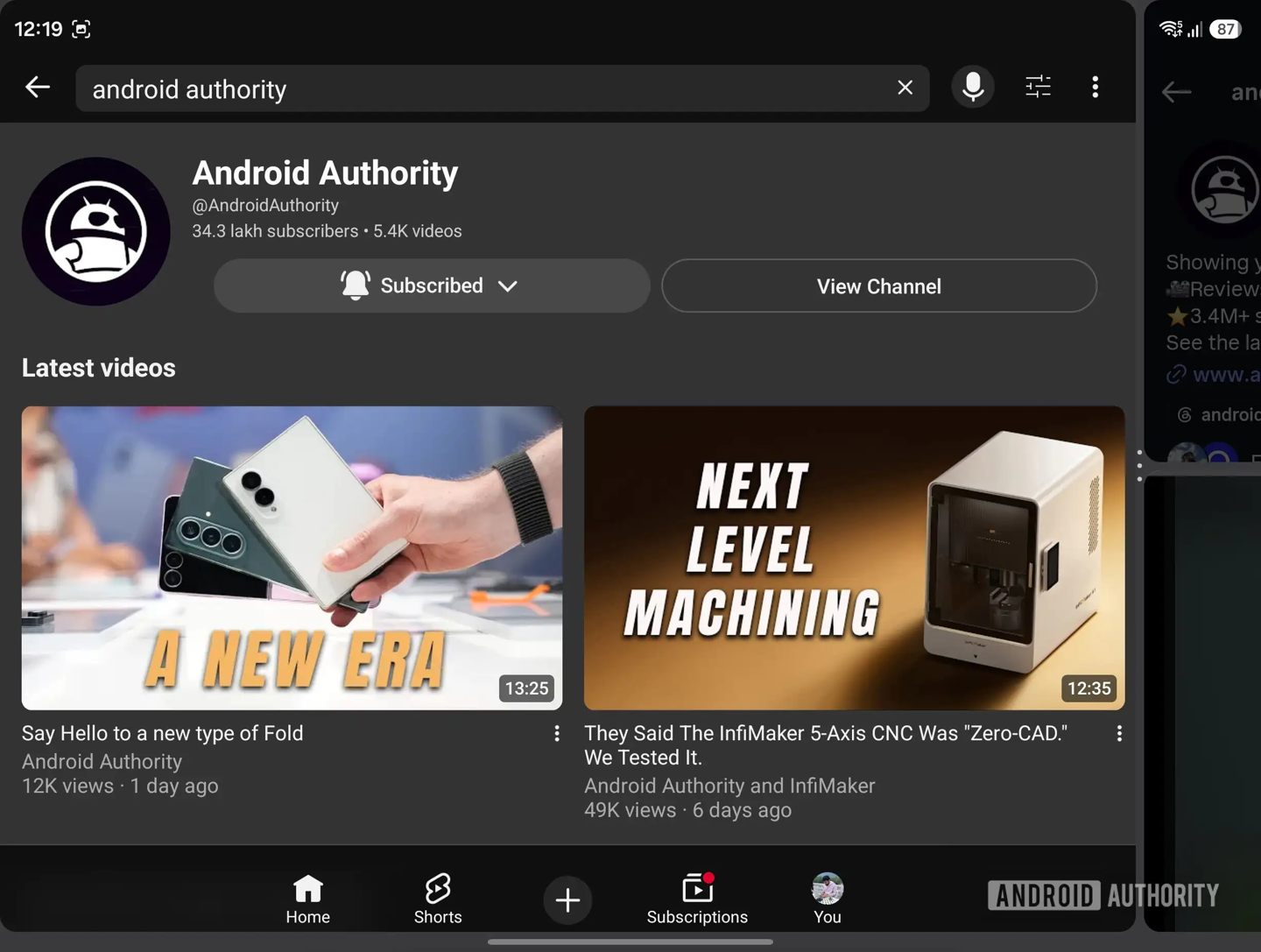
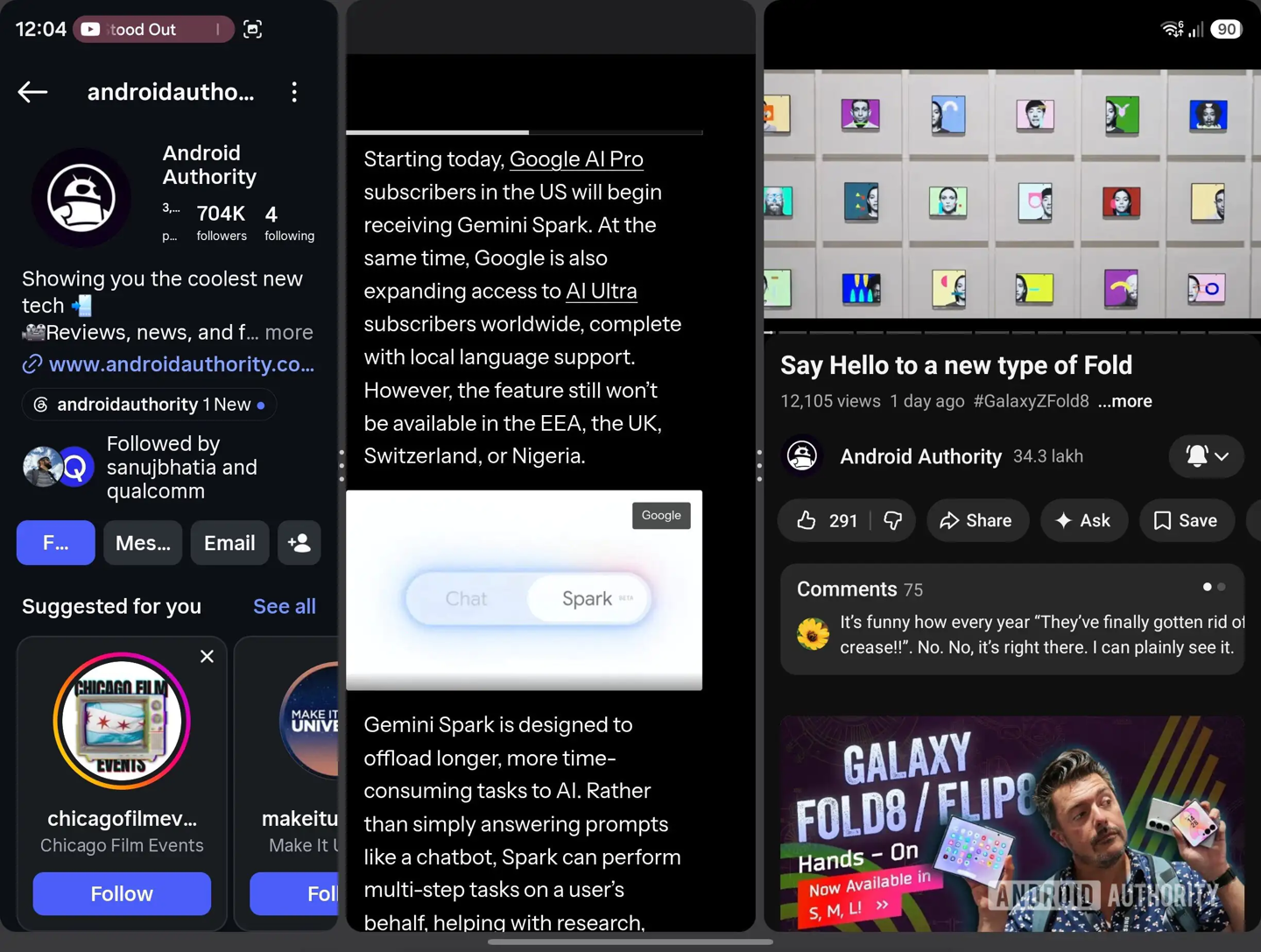
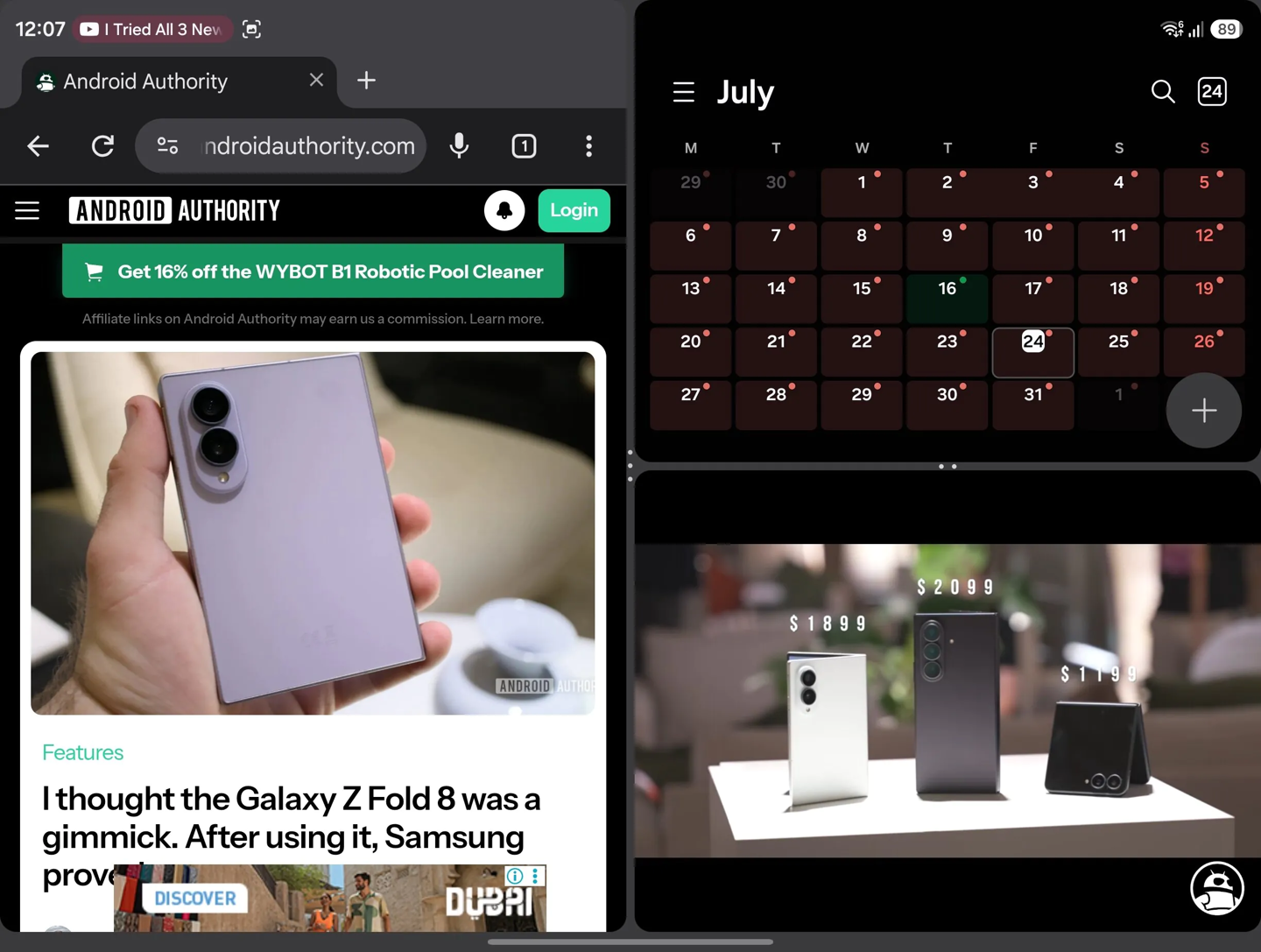
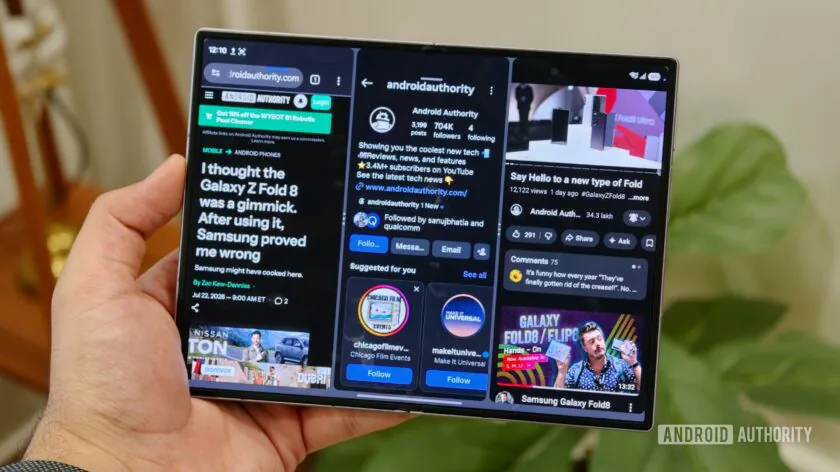
One UI 9는 'Open Canvas(개방형 캔버스)' 방식의 멀티태스킹 레이아웃을 도입했습니다. 이를 통해 3개의 앱을 동시에 실행하는 시나리오에서 90:10 분할, 수직 분할 및 표준 3방향 분할 화면 경험을 제공합니다.
테스트 결과
해당 매체는 Galaxy Z Fold8 폴더블 디스플레이 기기에서 테스트를 진행하여 3가지의 서로 다른 분할 화면 디자인을 선보였습니다.
제한 사항
보고에 따르면 Galaxy Z Fold8 폴더블 디스플레이 기기에서는 수평 방향으로 상하 3개의 앱을 배치하는 분할 화면 조작은 지원되지 않습니다.
총평
Samsung One UI 9는 Galaxy Z Fold8 시리즈에 'Open Canvas' 멀티태스킹 레이아웃을 도입하여 더욱 다양하고 유연한 분할 화면 옵션을 제공합니다. 3개의 앱 사용 시 90:10, 수직, 표준 3방향 등 다양한 방식의 분할이 가능하지만, 수평 방향의 상하 3개 앱 배치는 지원되지 않습니다.
One UI 9 新型分屏功能
在搭载 One UI 9 的 Samsung Galaxy Z Fold8 和 Galaxy Z Fold8 Ultra 机型上,引入了全新的“Open Canvas”(开放画布)式多任务布局。
多任务布局模式
该功能支持在同时运行 3 款 App 时提供多种分屏体验:
- 90:10 分屏
- 垂直分屏
- 标准三向分屏
功能限制说明
根据测试结果,在 Galaxy Z Fold8 折叠手机上,目前无法实现水平方向的上下 3 个 App 同时分屏操作。
总结
Samsung 在 One UI 9 中为 Galaxy Z Fold8 系列引入了 Open Canvas 多任务布局,旨在提供更丰富的三应用并行体验。该功能支持多种比例和方向的分屏模式,但目前尚不支持水平方向的三个 App 并列。
新しい分割画面機能
ITニュースによると、技術メディアのAndroidAuthorityが7月24日のブログにて、Galaxy Z Fold8およびGalaxy Z Fold8 Ultraに搭載されるSamsung One UI 9の新しい分割画面体験について報じました。
Open Canvas マルチタスク
One UI 9では「Open Canvas(オープンキャンバス)」方式のマルチタスクレイアウトが導入されました。これにより、3つのアプリを同時に実行するシナリオにおいて、以下の分割オプションが提供されます。
- 90:10 分割
- 垂直分割
- 標準的な3方向分割
テスト結果
同メディアはGalaxy Z Fold8の折りたたみディスプレイデバイスでテストを実施し、3種類の異なる分割画面デザインを公開しました。
制限事項
報告によると、Galaxy Z Fold8の折りたたみディスプレイデバイスにおいて、横向き(ランドスケープ)の状態で上下に3つのアプリを配置する分割操作はサポートされていません。
まとめ
Samsung One UI 9は、Galaxy Z Fold8シリーズに「Open Canvas」マルチタスクレイアウトを導入することで、より多様で柔軟な分割画面オプションを提供します。3つのアプリを使用する際に複数の分割パターンが可能になる一方で、横向きでの3アプリの垂直配置には対応していません。
New Split Screen Features
According to IT news, tech outlet AndroidAuthority reported on July 24 regarding the new split-screen experience in Samsung One UI 9 for Galaxy Z Fold8 and Galaxy Z Fold8 Ultra models.
Open Canvas Multitasking
One UI 9 introduces an "Open Canvas" multitasking layout. In scenarios where three apps are running simultaneously, it provides the following options:
- 90:10 split
- Vertical split
- Standard three-way split
Test Results
The outlet tested the Galaxy Z Fold8 foldable display and showcased 3 different split-screen designs.
Limitations
Reports indicate that on the Galaxy Z Fold8's foldable display, a split-screen operation that places three apps vertically (top and bottom) in landscape orientation is not supported.
Summary
Samsung One UI 9 introduces the "Open Canvas" multitasking layout to the Galaxy Z Fold8 series, providing more versatile options for managing up to three apps simultaneously. While it offers various configurations such as 90:10 and vertical splits, a vertical stack of three apps in landscape mode is not supported.