업데이트 개요
IT소식에 따르면, 기술 매체 MacRumors가 오늘(7월 21일) Apple iOS 27 Beta 4 업데이트 내용을 정리하여 발표했습니다. 해당 매체는 이전 베타 버전과 비교했을 때 이번 Beta 4의 업데이트 규모는 작지만, 여전히 많은 새로운 기능과 특징이 추가되었다고 밝혔습니다.
Apple TV 및 사진 앱
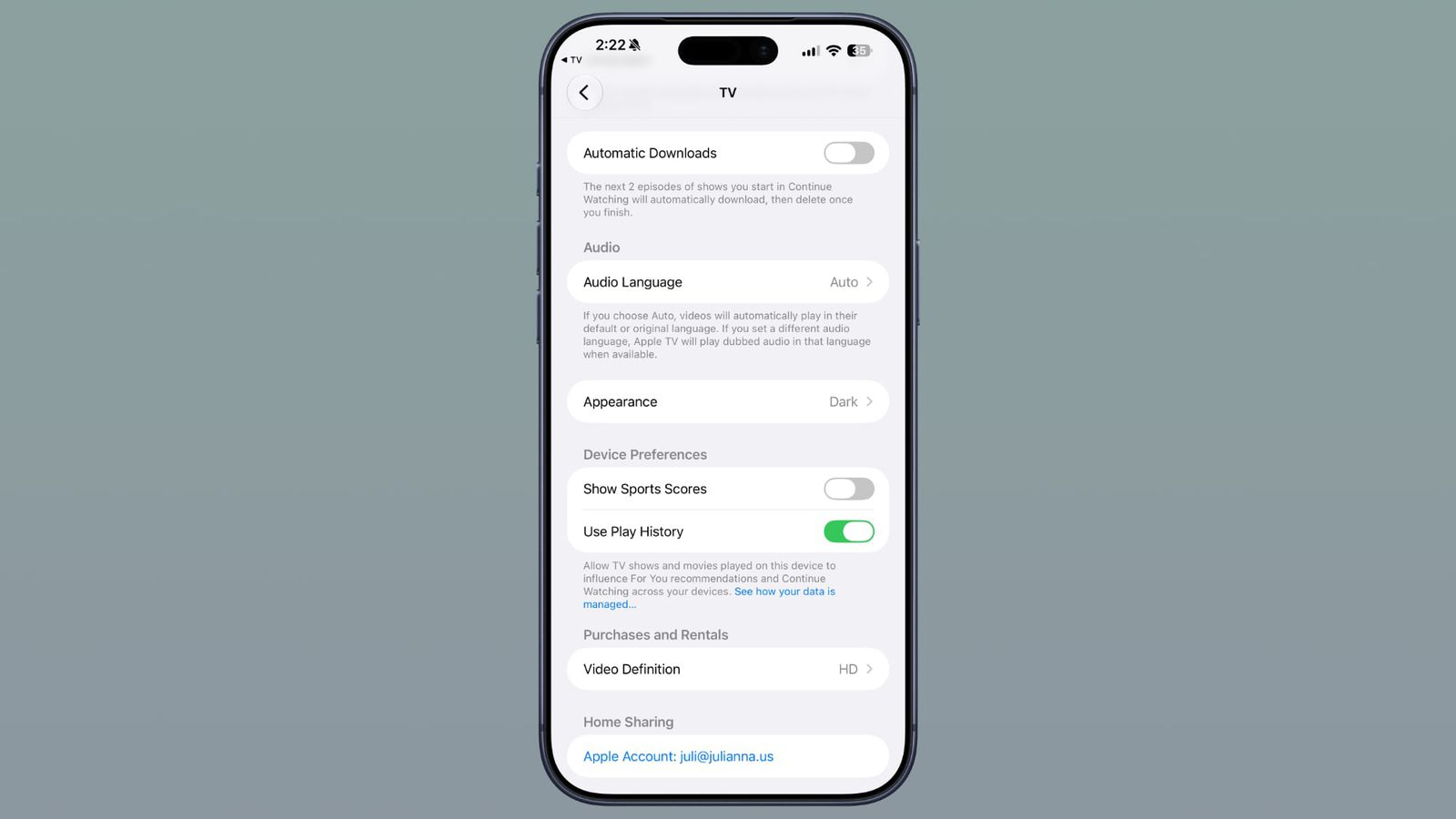
Apple TV 앱의 '설정' 섹션에 새로운 '자동 다운로드' 스위치가 추가되었습니다. 이 옵션을 활성화하면 사용자가 '계속 시청하기'에서 시청을 시작한 프로그램의 다음 두 에피소드를 자동으로 다운로드하며, 시청 완료 후 해당 콘텐츠를 자동으로 삭제합니다.
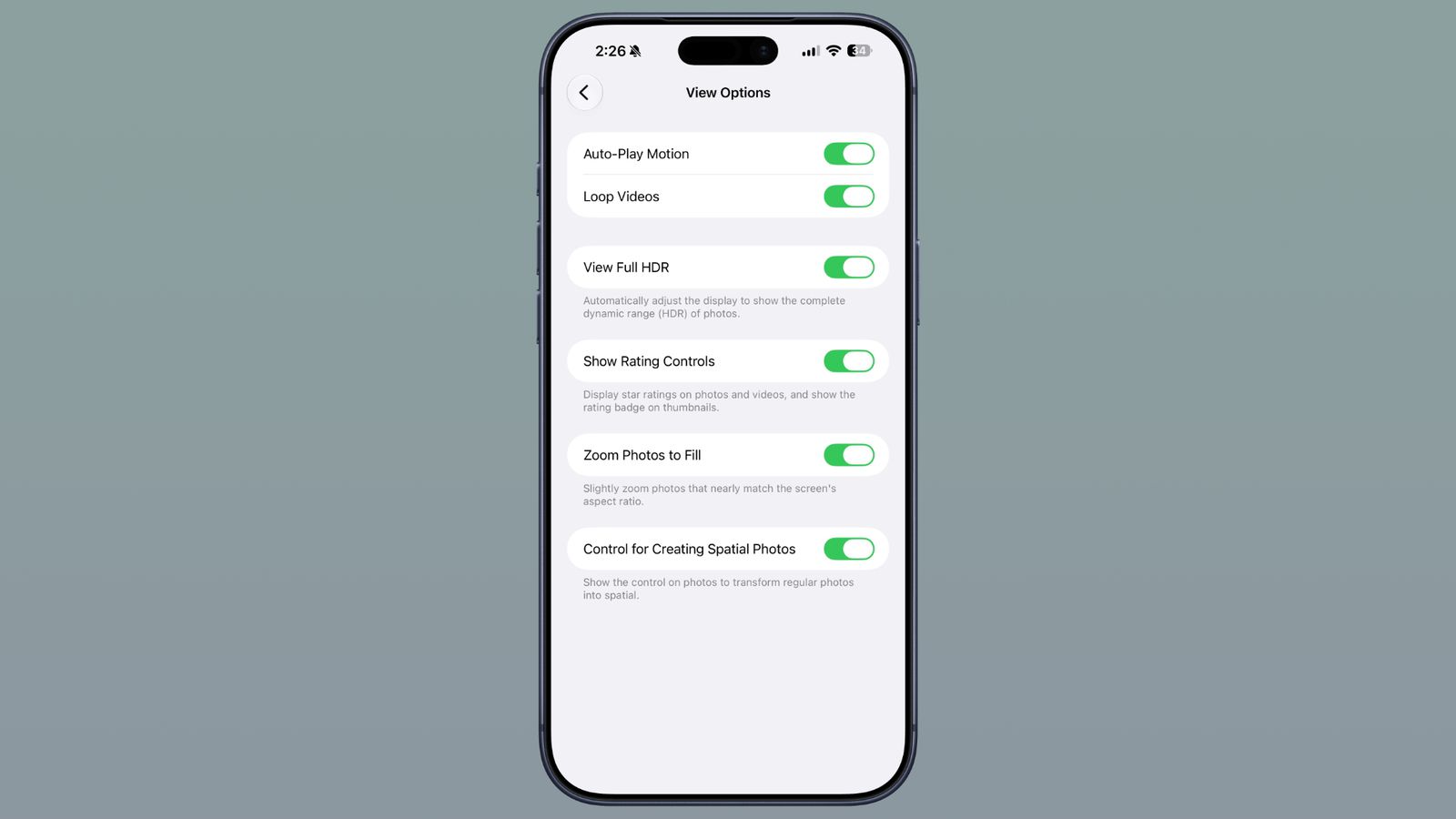
'설정' 앱의 '사진' 섹션에는 '화면에 맞게 사진 확대(Zoom Photos to Fill)' 스위치가 추가되었습니다. 이 기능은 화면 비율에 가까운 사진을 약간 확대하며, 기본적으로 활성화되어 있습니다.
알림 센터 및 Siri 관련 변경 사항
Apple은 Beta 3에서 알림 센터에 추가했던 배경화면 기능을 제거했습니다. 기존에는 사용자가 스와이프할 때 홈 화면에서 배경화면 테마의 크롭 효과를 볼 수 있었으나, Beta 4에서는 더 이상 사용할 수 없습니다.
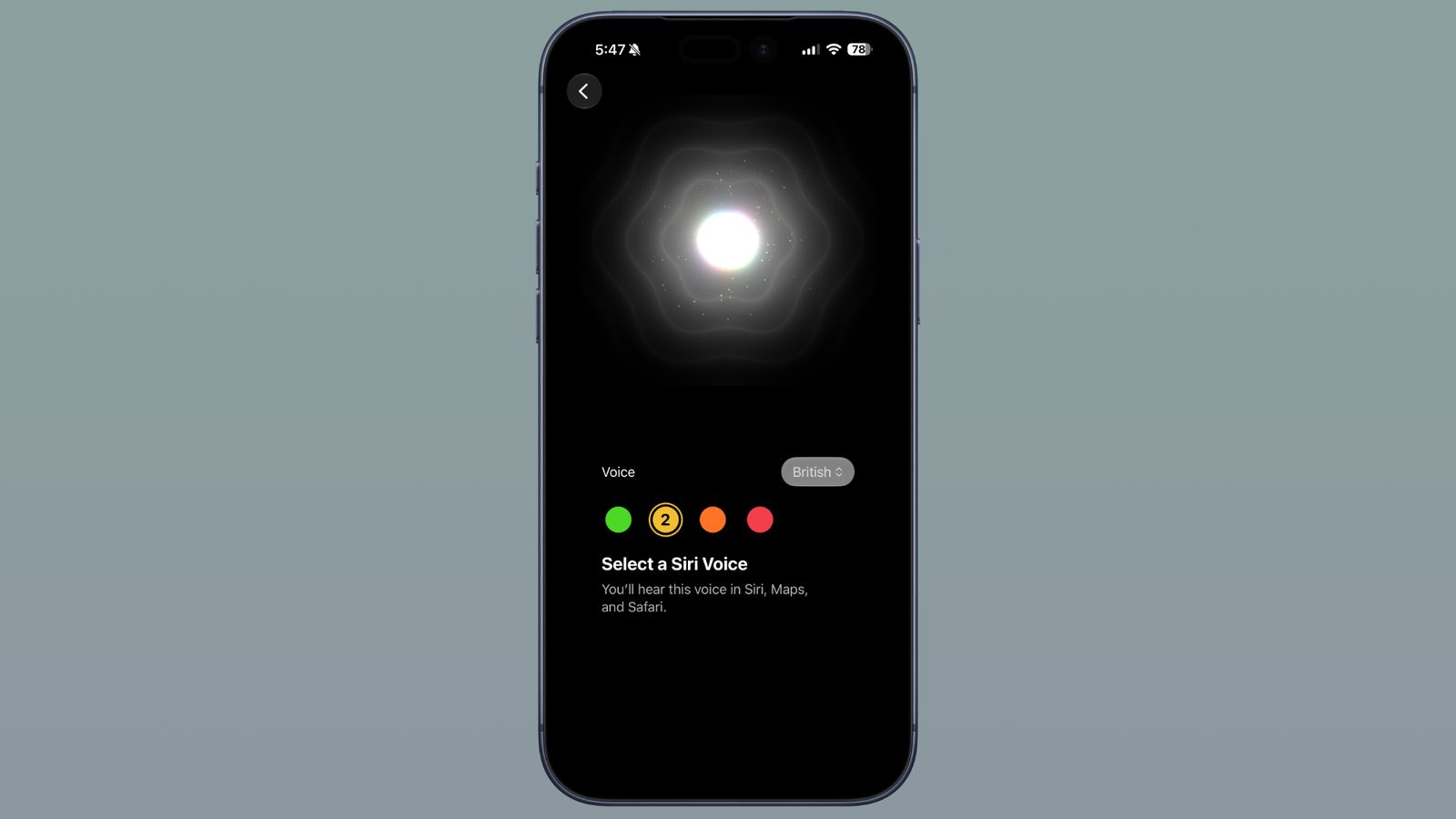
Beta 4 업데이트에서는 Siri 목소리 선택 인터페이스가 조정되었습니다. 사용자 정의 음성 옵션을 설정할 수 없는 기기에서는 음성과 억양이 포함된 맞춤형 음성 선택 화면이 표시되며, 맞춤형 Siri 선택을 지원하는 기기에서는 더 많은 음성 옵션이 제공됩니다. Apple은 이러한 기능들이 곧 출시될 예정이라고 밝혔습니다.
Siri 목소리 기능은 iPhone 17 Pro, iPhone 17 Pro Max, iPhone Air 등의 모델로 제한됩니다.
사용자가 아래로 가볍게 쓸어내려 Siri 검색 또는 문의 인터페이스로 진입할 때, 이제 해당 화면의 시작 안내 문구가 표시됩니다.
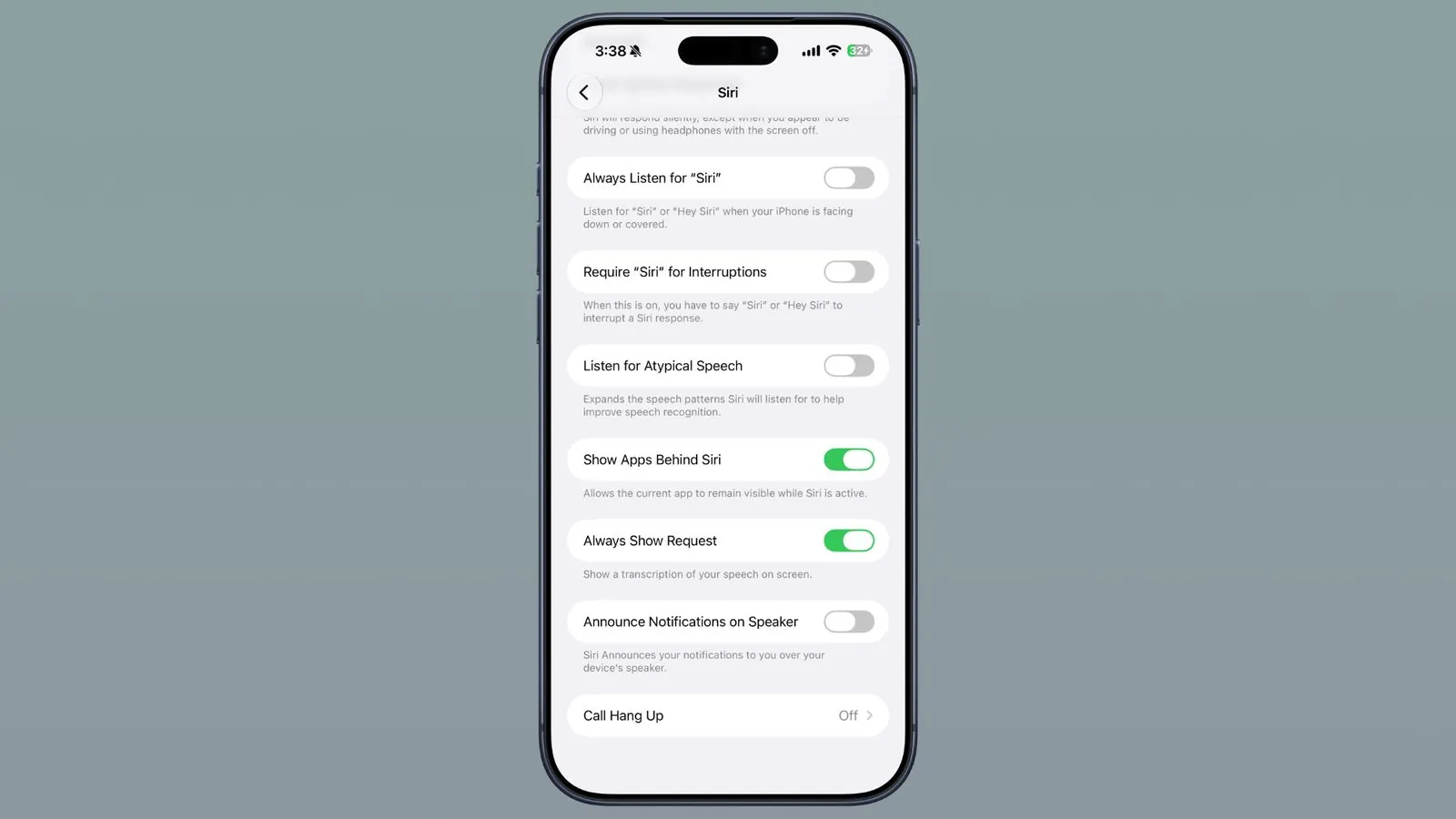
'설정' 앱의 Siri 섹션에는 Siri 앱에서 미리 보기 길이를 조정할 수 있는 새로운 옵션이 추가되었습니다. 사용자는 최대 5줄까지 선택하거나 표시하지 않도록 설정할 수 있습니다.
카메라 및 네트워크 설정
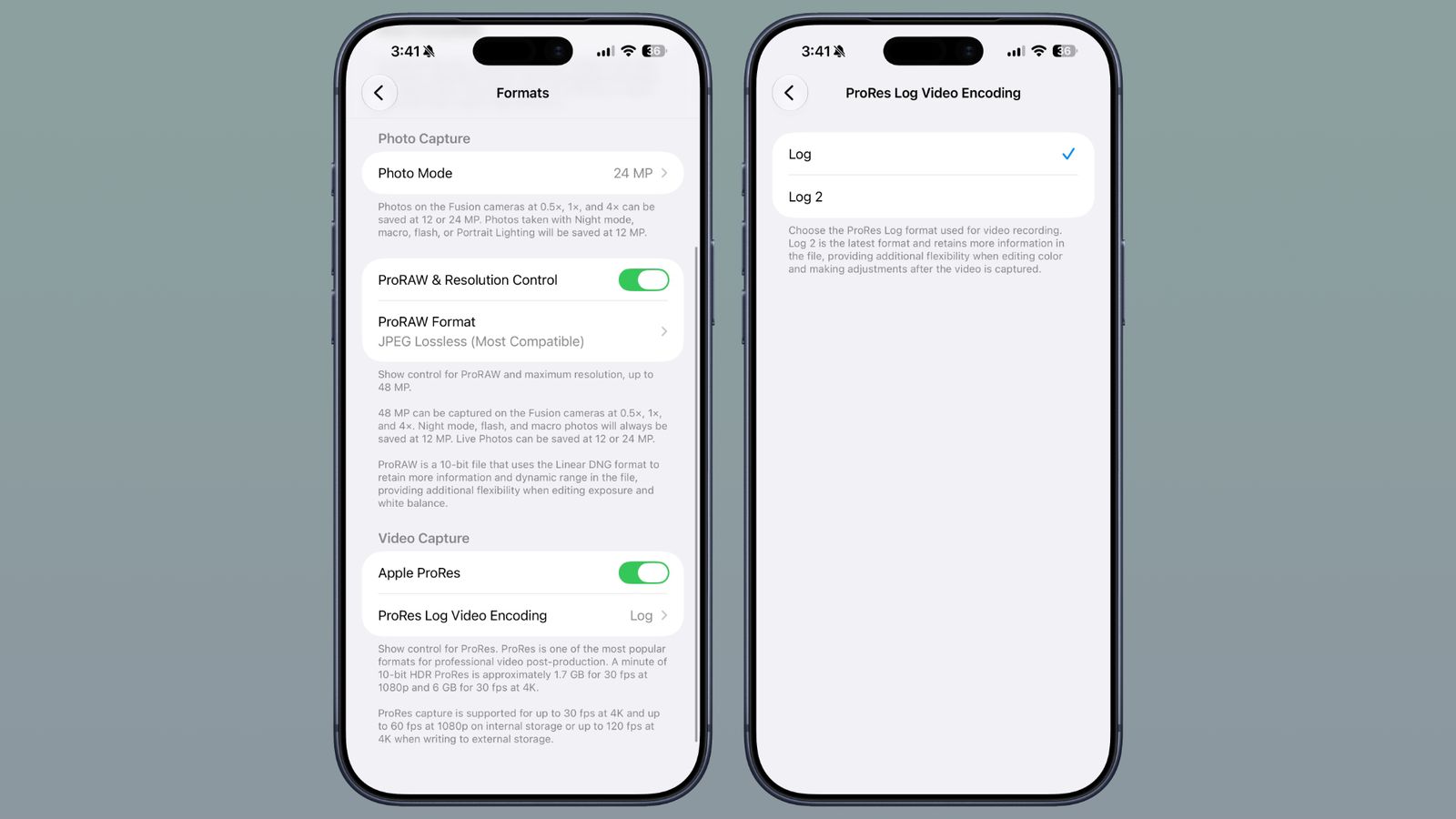
'설정' 앱의 '카메라' 섹션에서 사용자가 Apple ProRes를 활성화한 경우, ProRes 로그 형식을 선택할 수 있습니다. 사용자는 'ProRes 로그 비디오 인코딩'을 클릭하여 Log 또는 Log 2 중에서 선택할 수 있습니다.
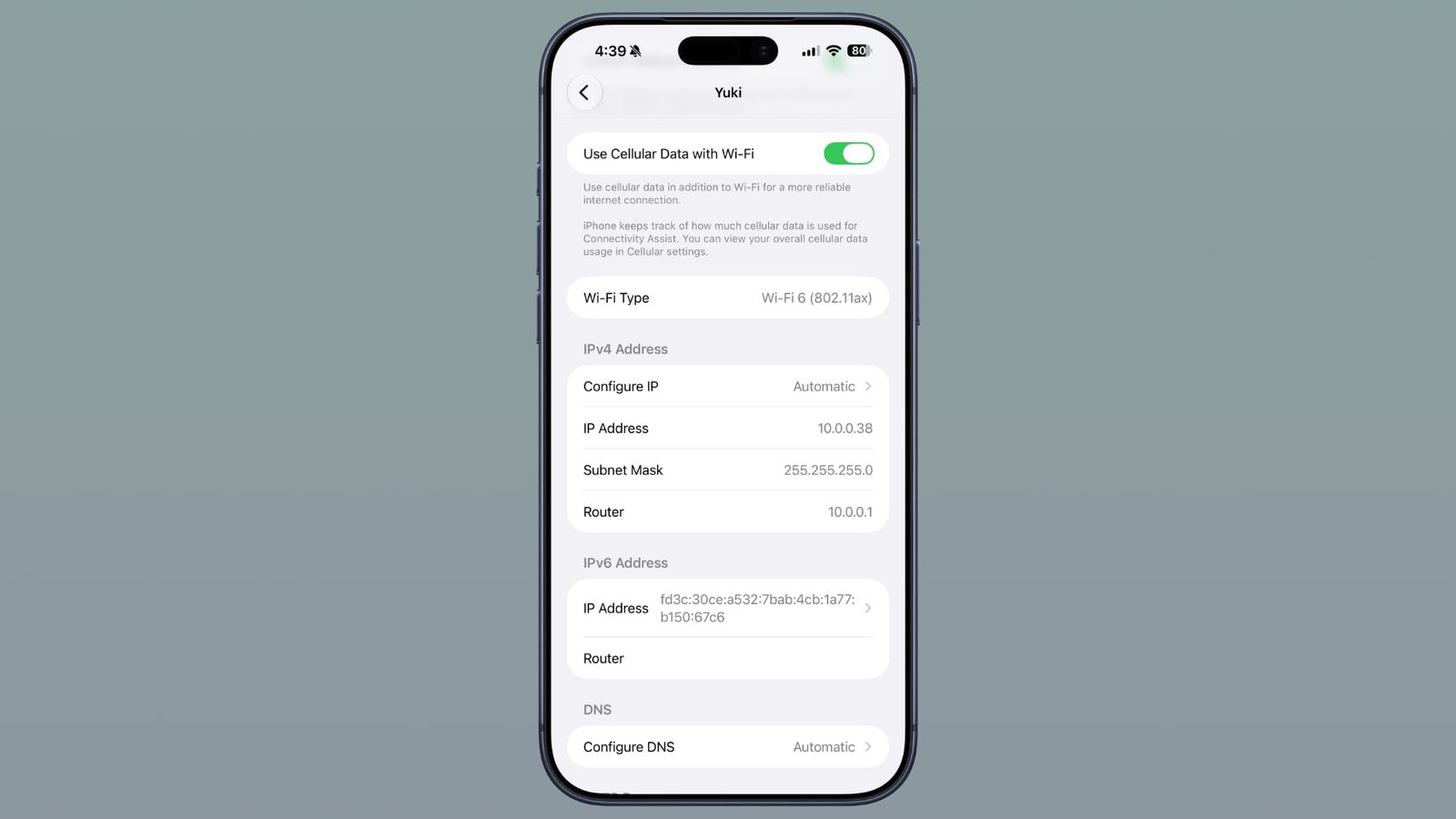
'연결 지원' 메인 스위치의 온/오프 여부와 관계없이, 각 Wi-Fi 네트워크에서 '연결 지원' 기능을 개별적으로 활성화하거나 비활성화할 수 있습니다.
기타 기능 및 코드 분석
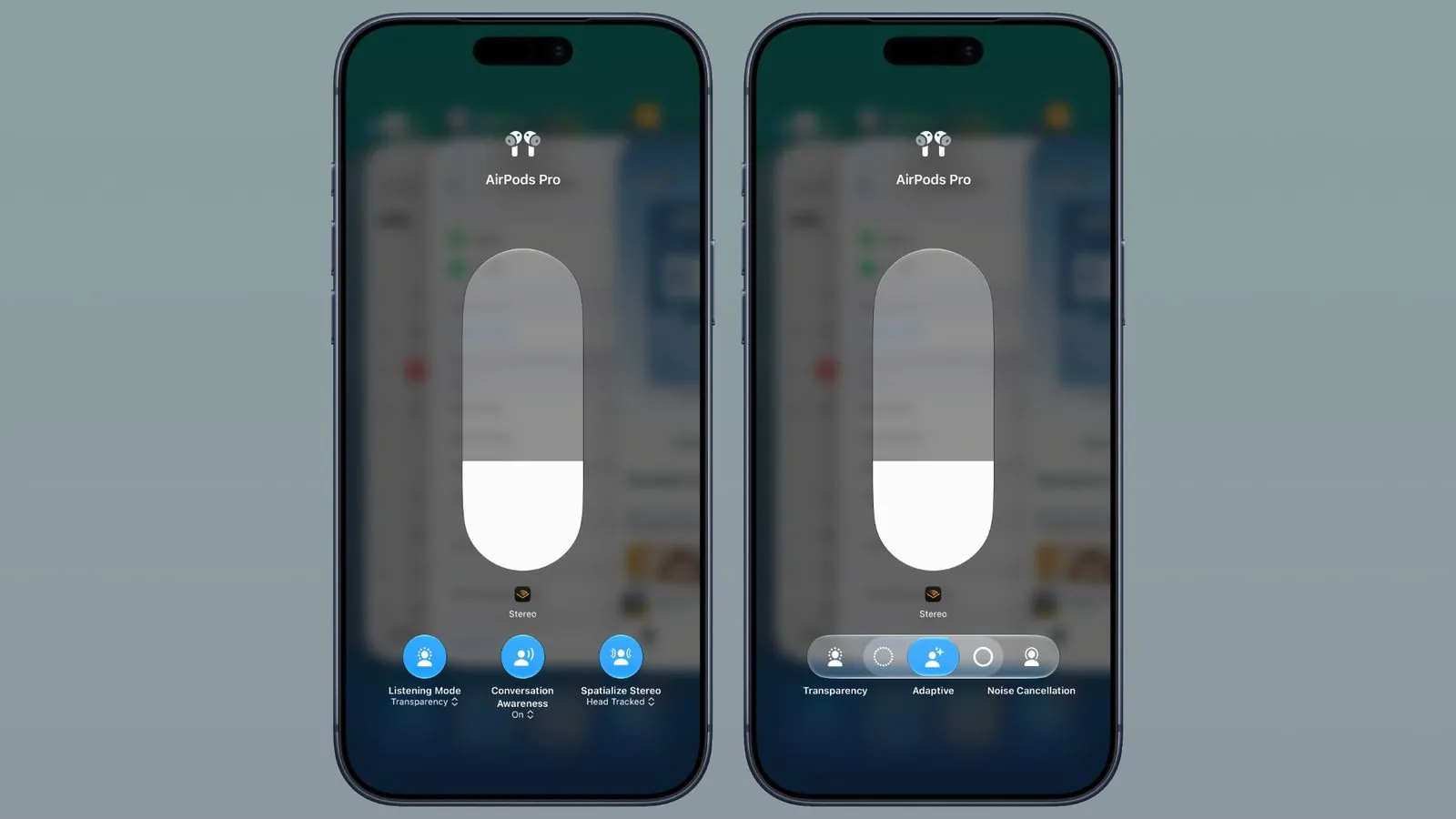
제어 센터 내 AirPods 옵션의 외관이 변경되었으며, 적응형 모드(Adaptive Mode)에 더 많은 옵션이 추가되었습니다.
iOS 27 Beta 4 코드에서는 '이 iPhone 내의 배터리가 정상적으로 작동함'과 같은 문자열을 포함하여, 듀얼 배터리를 탑재한 iPhone 관련 코드가 발견되었습니다.
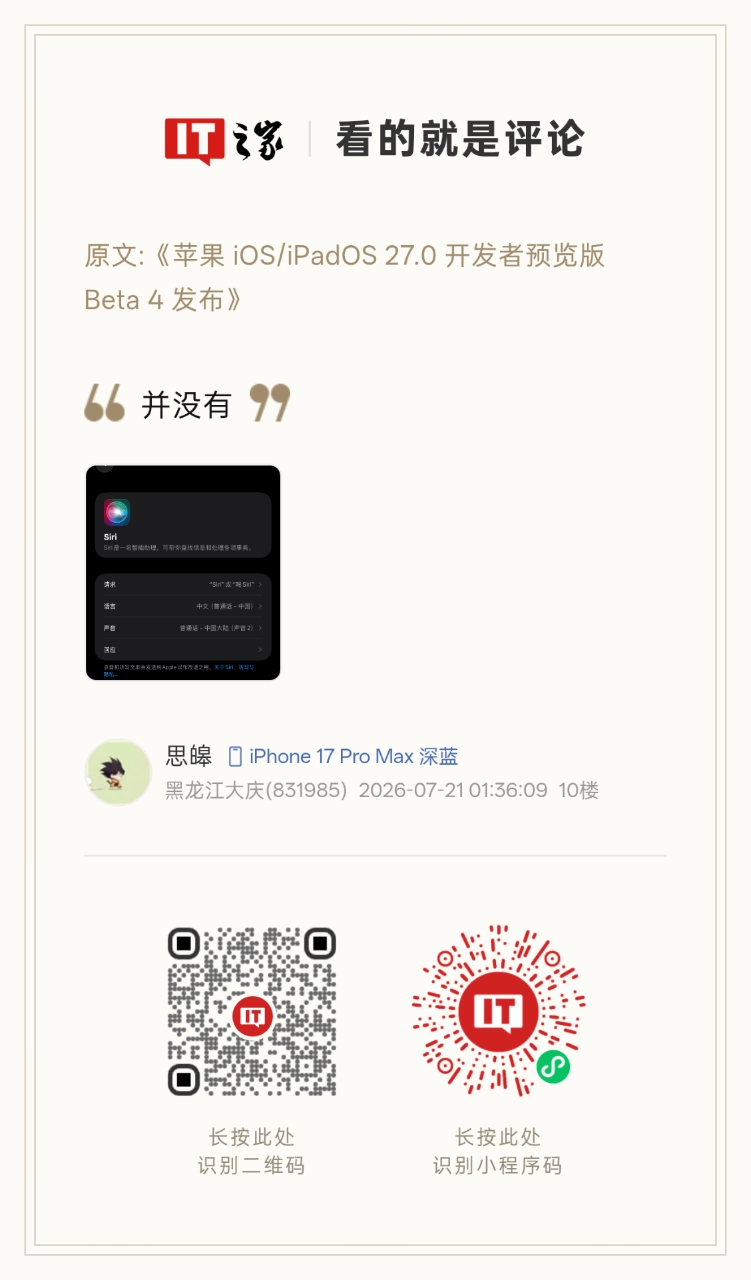
IT소식의 한 네티즌에 따르면, iOS 27 Beta 4로 업데이트한 후 아직 Apple 인텔리전스(Apple Intelligence) 및 Siri AI의 흔적은 발견되지 않았습니다.
총평
iOS 27 Beta 4는 규모는 작지만 Apple TV 자동 다운로드, 사진 확대 기능, Siri 인터페이스 개선 등 실용적인 기능을 포함하고 있습니다. 또한 ProRes 로그 지원 및 제어 센터 내 AirPods 옵션 강화 등 다양한 업데이트가 포함되었습니다.
Apple TV 与照片功能更新
在 Apple TV 应用的“设置”中,新增了“自动下载”开关。开启后,系统会自动下载“继续观看”中的后续两集内容,并在用户看完后自动删除相关内容。
在“设置”应用的“照片”部分,新增了“放大照片以填充”功能(默认开启)。该功能会微调那些接近屏幕宽高比的图片,使其更好地适配显示。此外,Beta 3 中加入的通知中心壁纸功能已在 Beta 4 中移除。
Siri 与交互界面优化
Apple 更新了 Siri Voices 选择界面,针对不同设备提供相应的声音和口音选择。其中部分高级功能仅支持 iPhone 17 Pro、iPhone 17 Pro Max 和 iPhone Air 等机型。
- 用户在向下轻扫进入 Siri 搜索或询问界面时,现在会看到一个解释该界面的启动屏幕。
- “设置”中的 Siri 部分新增了预览长度调整选项,用户可选择显示最多五行或不显示。
相机、连接与系统底层
在“设置”的“相机”部分,若开启 Apple ProRes,用户现在可以选择 Log 或 Log 2 的视频编码格式。
- Wi-Fi 网络中的“连接辅助”功能现在可以在每个网络中独立开关。
- 控制中心中 AirPods 选项的外观进行了调整,并增加了更多自适应模式的选项。
- 系统代码中出现了关于带有双电池 iPhone 的相关描述字符串。
总结
iOS 27 Beta 4 更新涵盖了 Apple TV、Siri 交互界面以及相机录制等多个核心领域的优化与功能新增。虽然更新幅度较小,但包含了针对特定高端机型的功能适配以及一系列系统底层功能的调整。
アップデート概要
ITニュースによると、テックメディアのMacRumorsが本日(7月21日)、Apple iOS 27 Beta 4のアップデート内容をまとめました。同メディアは、前回のベータバージョンと比較して今回のBeta 4の更新規模は小さいものの、依然として多くの新機能や特徴が追加されたと伝えています。
Apple TVおよび写真アプリ
Apple TVアプリの「設定」セクションに、新しい「自動ダウンロード」スイッチが追加されました。このオプションを有効にすると、「再開」から視聴を開始したプログラムの次の2つのエピソードを自動的にダウンロードし、視聴完了後にそのコンテンツを自動的に削除します。
「設定」アプリの「写真」セクションには、「画面に合わせて写真を拡大(Zoom Photos to Fill)」スイッチが追加されました。この機能は、画面のアスペクト比に近い写真をわずかに拡大するもので、デフォルトで有効になっています。
通知センターおよびSiriに関する変更点
AppleはBeta 3で通知センターに追加した壁紙機能を削除しました。以前はユーザーがスワイプする際にホーム画面の壁紙テーマのクロップ効果を確認できましたが、Beta 4では利用できなくなりました。
Beta 4のアップデートでは、Siriの音声選択インターフェースが調整されました。カスタマイズされた音声オプションを設定できないデバイスでは、音声とアクセントを含むカスタム音声選択画面が表示され、カスタムSiri選択をサポートするデバイスではより多くの音声オプションが提供されます。Appleはこれらの機能が間もなくリリースされる予定であると述べています。
Siriの音声機能は、iPhone 17 Pro、iPhone 17 Pro Max、iPhone Airなどのモデルに限定されます。
ユーザーが下に軽くスワイプしてSiri検索または問い合わせインターフェースに入る際、現在はその画面の開始案内文が表示されます。
「設定」アプリのSiriセクションには、Siriアプリでプレビューの長さを調整できる新しいオプションが追加されました。ユーザーは最大5行まで選択するか、表示しないように設定できます。
カメラおよびネットワーク設定
「設定」アプリの「カメラ」セクションにおいて、ユーザーがApple ProResを有効にしている場合、ProResログ形式を選択できるようになりました。ユーザーは「ProResログビデオエンコーディング」をクリックして、LogまたはLog 2から選択できます。
「接続サポート」メインスイッチのオン/オフの状態に関わらず、各Wi-Fiネットワークで「接続サポート」機能を個別に有効または無効にすることができます。
その他の機能およびコード分析
コントロールセンター内のAirPodsオプションの外観が変更され、アダプティブモード(Adaptive Mode)により多くのオプションが追加されました。
iOS 27 Beta 4のコードでは、「このiPhone内のバッテリーが正常に動作しています」といった文字列が含まれており、デュアルバッテリーを搭載したiPhoneに関連するコードが発見されました。
ITニュースのネットユーザーによると、iOS 27 Beta 4にアップデートした後、まだApple IntelligenceおよびSiri AIの形跡は見つかっていません。
まとめ
iOS 27 Beta 4は更新規模こそ小さいものの、Apple TVの自動ダウンロードや写真の拡大機能、Siriインターフェースの改善など実用的な機能が含まれています。また、ProResログのサポートやコントロールセンターでのAirPodsオプション強化など、多岐にわたるアップデートが盛り込まれています。
Update Overview
According to IT News, the tech outlet MacRumors released a summary of the Apple iOS 27 Beta 4 update on July 21. The publication noted that while the scale of updates in Beta 4 is smaller compared to previous versions, it still includes several new features and enhancements.
Apple TV and Photos App
A new "Auto-Download" toggle has been added to the 'Settings' section of the Apple TV app. When enabled, this option automatically downloads the next two episodes of programs started in the "Continue Watching" section and deletes the content automatically after it is finished.
In the 'Photos' section of the Settings app, a "Zoom Photos to Fill" toggle has been added. This feature slightly zooms in on photos that are close to the screen's aspect ratio and is enabled by default.
Notification Center and Siri Related Changes
Apple has removed the wallpaper feature for the Notification Center that was introduced in Beta 3. Previously, users could see a cropped effect of their home screen's wallpaper theme when swiping; this is no longer available in Beta 4.
The Siri voice selection interface has been adjusted in the Beta 4 update. For devices that do not support custom voice options, a selection screen featuring various voices and accents will be displayed. Devices that support customized Siri selections will provide a wider range of voice options. Apple stated these features are expected to launch soon.
Siri voice features are limited to the following models:
- iPhone 17 Pro
- iPhone 17 Pro Max
- iPhone Air
When users swipe down slightly to enter the Siri search or inquiry interface, an introductory prompt will now appear on that screen.
A new option has been added to the Siri section of the Settings app to adjust the preview length in the Siri app. Users can choose a length of up to 5 lines or set it to not be displayed.
Camera and Network Settings
In the 'Camera' section of the Settings app, users who have enabled Apple ProRes can now select the ProRes Log format. By tapping "ProRes Log Video Encoding," users can choose between Log or Log 2.
Regardless of whether the main "Auto-Join" switch is on or off, the "Auto-Join" feature can now be individually enabled or disabled for each specific Wi-Fi network.
Other Features and Code Analysis
The appearance of AirPods options within the Control Center has been updated, and more options have been added to Adaptive Mode.
Code related to an iPhone equipped with dual batteries was discovered in the iOS 27 Beta 4 code, including strings such as "Battery is functioning normally in this iPhone."
According to a netizen on IT News, no traces of Apple Intelligence or Siri AI have been found yet following the update to iOS 27 Beta 4.
Summary
iOS 27 Beta 4 introduces practical updates such as automatic downloads for Apple TV, a "Zoom Photos to Fill" feature, and refined Siri interfaces. Additionally, the update includes technical improvements like ProRes Log support and expanded options for AirPods in the Control Center.