소개
IT之家 5월 12일 보도에 따르면, IT 매체 Android Authority는 어제(5월 11일) 블로그 게시물을 통해 Google이 Pixel Screenshots 앱을 데스크톱 기기로 확장하는 것을 테스트 중이며, 더 이상 Pixel 휴대폰에만 국한되지 않을 것이라고 보도했습니다. 이는 Aluminum OS의 기반을 다지는 것일 수 있습니다.
데스크톱 버전 개발 단서
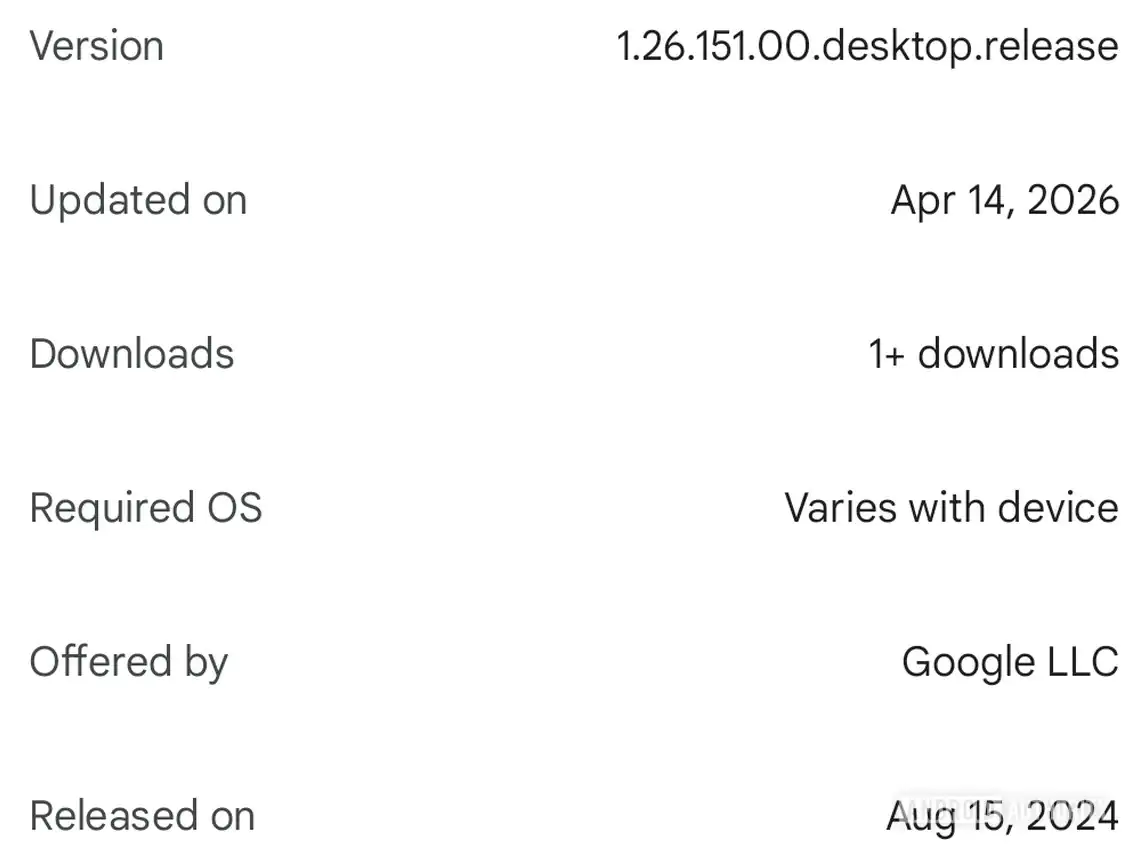
Android Authority는 Play 스토어 버전 Pixel Screenshots 앱을 분석하여 1.26.151.00.desktop.release라는 단서를 발견했습니다. 이 업데이트의 타임스탬프는 2026년 4월 14일로, Google이 이 앱의 데스크톱 버전을 개발 중임을 시사합니다.
Pixel Screenshots 기능
IT之家의 설명에 따르면, Pixel Screenshots는 Google이 Pixel 휴대폰에 제공하는 스크린샷 관리 기능으로, 현재 Pixel 9 및 Pixel 10 시리즈만 지원하며, 구형 Pixel 사용자는 사용할 수 없습니다.
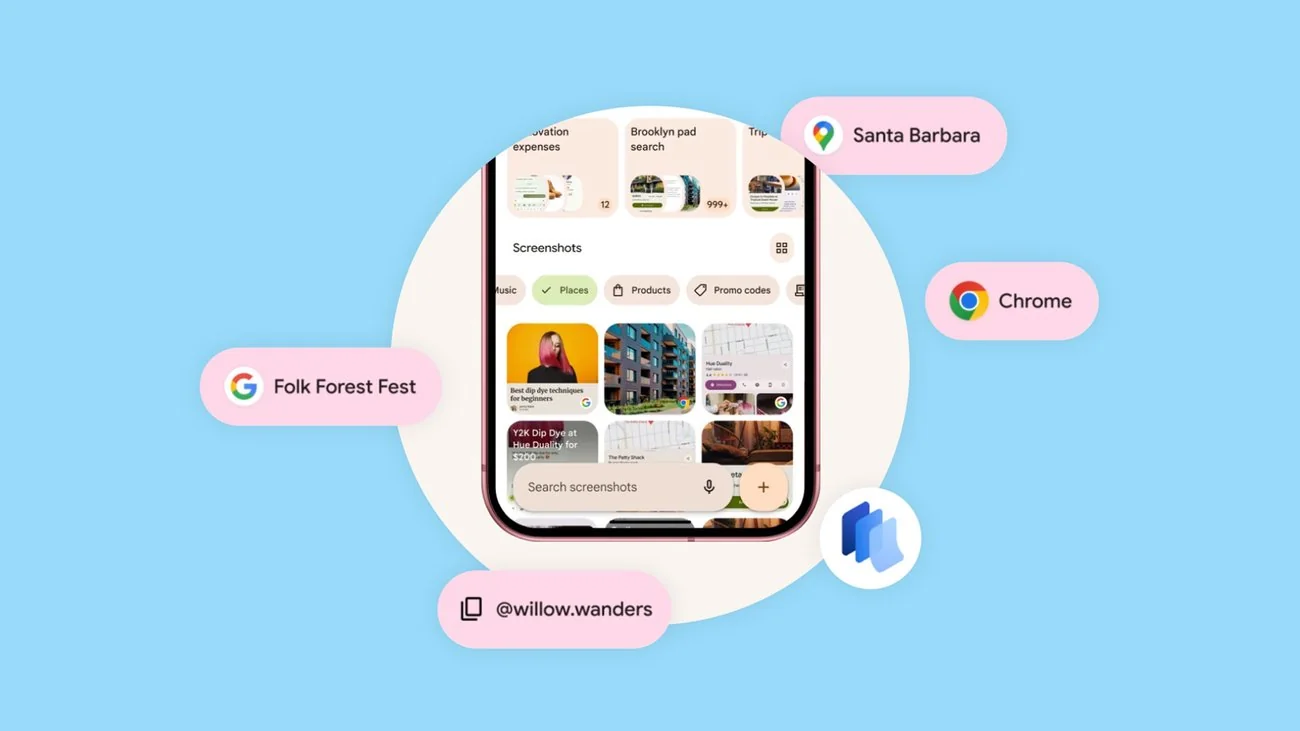
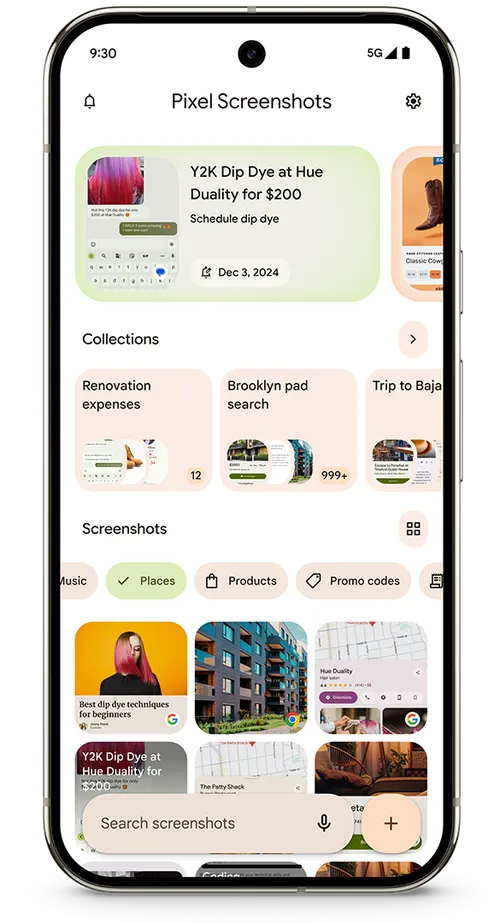
이 앱은 단순히 스크린샷을 저장하는 것을 넘어, 온디바이스 AI를 활용하여 콘텐츠를 자동으로 정리하고, 사용자가 나중에 정보 단서를 통해 스크린샷을 다시 찾아볼 수 있도록 합니다. 이는 스크린샷을 검색 가능한 데이터베이스로 만드는 것과 같습니다.
Google이 공식적으로 공개한 시나리오 중 하나는 사용자가 웹페이지에서 정보를 보았지만, 당장 메모할 시간이 없거나 복사 붙여넣기를 원하지 않을 때, 스크린샷만 찍으면 나중에 다시 볼 수 있다는 것입니다.
Pixel Screenshots는 이러한 스크린샷을 분류하고 정리하며, 온디바이스 AI 모델을 호출하여 처리합니다. 주소, 상품 정보 또는 여행 일정을 스크린샷으로 저장하는 사람들에게는 기존 갤러리보다 더 실용적일 수 있습니다.
현재 개발 상황
테스트에서는 주목할 만한 새로운 기능이 발견되지 않았으며, 일반적인 휴대폰 버전처럼 앱 서랍에 나타나지도 않습니다. 이는 Google이 먼저 하위 호환성만 완성하고 있으며, 인터페이스, 진입점 및 상호작용 방식은 아직 완전히 준비되지 않았음을 의미합니다.
예상 플랫폼: Aluminum OS
Android Authority는 Google이 내부적으로 데스크톱 버전 Pixel Screenshots를 개발 중이며, 목표 플랫폼은 Aluminum OS로 추정하고 있습니다. Aluminum OS는 Google이 개발 중이라는 소문이 있는 데스크톱 시스템으로, 데스크톱 또는 노트북 환경에 중점을 두며 Android 앱 실행을 지원합니다.
총평
Google이 Pixel Screenshots 앱의 데스크톱 버전을 개발 중인 것으로 보이며, 이는 온디바이스 AI를 활용한 스크린샷 관리 기능을 데스크톱 환경으로 확장하려는 시도입니다. 현재는 초기 개발 단계로 보이며, 향후 출시될 것으로 예상되는 Aluminum OS를 위한 준비 과정일 수 있습니다.
产品功能与 AI 技术
Pixel Screenshots 是谷歌为 Pixel 手机提供的截图管理工具。该应用并非简单的图片存储,而是利用端侧 AI 模型对内容进行自动整理,构建一个可搜索的资料库。用户可以根据信息线索(如地址、商品信息或行程内容)快速回查相关截图。
版本信息与技术细节
Android Authority 在 Play 商店中发现了相关应用线索:
- 版本号:1.26.151.00.desktop.release
- 更新时间:2026 年 4 月 14 日
设备支持范围
目前该功能具有特定的硬件限制:
- 仅支持 Pixel 9 和 Pixel 10 系列。
- 老款 Pixel 用户目前无法使用此功能。
桌面端适配进展
谷歌正在测试将 Pixel Screenshots 扩展至桌面设备。目前的测试版本可能尚未完成完整的交互设计,因为它不会出现在应用抽屉中,这表明谷歌可能正处于基础底层适配阶段。
未来系统展望
该功能的桌面化尝试被认为是为 Aluminum OS 铺路。Aluminum OS 是传闻中谷歌正在开发的、旨在支持运行安卓应用的桌面或笔记本专用操作系统。
总结
谷歌正测试将基于端侧 AI 的 Pixel Screenshots 功能扩展至桌面端,并可能关联到其新开发的 Aluminum OS 系统。目前该功能在移动端仅支持最新的 Pixel 9 和 10 系列,且桌面版仍处于初步的底层适配阶段。
紹介
IT之家の報道(5月12日)によると、Android Authorityは昨日(5月11日)、Googleが「Pixel Screenshots」アプリをデスクトップデバイス向けに拡張するテストを行っており、もはやPixelスマートフォン限定の機能ではなくなる可能性があると報じました。これはAluminum OSの基盤構築の一環である可能性があります。
デスクトップ版開発の兆候
Android AuthorityはPlayストア版のPixel Screenshotsアプリを分析し、「1.26.151.00.desktop.release」というコードを発見しました。このアップデートのタイムスタンプは2026年4月14日となっており、Googleがこのアプリのデスクトップ版の開発を進めていることを示唆しています。
Pixel Screenshotsの機能
Pixel Screenshotsは、GoogleがPixelスマートフォン向けに提供しているスクリーンショット管理機能です。現在、Pixel 9およびPixel 10シリーズのみをサポートしており、旧モデルのユーザーは利用できません。
このアプリは単にスクリーンショットを保存するだけでなく、オンデバイスAIを活用してコンテンツを自動的に整理し、ユーザーが後で情報を検索できるようにします。これは、スクリーンショットを検索可能なデータベースへと変換する機能に相当します。
Googleが公式に公開した活用例の一つとして、ウェブページ上の情報を確認したが、すぐにメモする時間がない、あるいはコピー&ペーストを行いたくない場合に、スクリーンショットを撮っておくことで後から簡単に再確認できるというものがあります。
Pixel Screenshotsはこれらのスクリーンショットを分類・整理し、オンデバイスAIモデルを呼び出して処理を行います。住所、商品情報、または旅行のスケジュールなどをスクリーンショットで保存するユーザーにとって、従来のギャラリーよりも実用的なツールとなります。
現在の開発状況
テスト段階では目立った新機能は見つかっておらず、通常のモバイル版のようにアプリドロワーにも表示されません。これはGoogleがまず後方互換性の確保を優先しており、インターフェースやエントリポイント、操作方法などの完全な準備はまだ整っていないことを意味しています。
予想されるプラットフォーム:Aluminum OS
Android Authorityは、Googleが内部でデスクトップ版Pixel Screenshotsを開発しており、そのターゲットプラットフォームは「Aluminum OS」であると推測しています。Aluminum OSは、Googleが開発中と噂されているデスクトップシステムであり、デスクトップやノートPC環境に焦点を当てつつ、Androidアプリの実行をサポートするものです。
まとめ
GoogleはオンデバイスAIを活用したスクリーンショット管理機能「Pixel Screenshots」をデスクトップ環境へ拡張するための準備を進めています。これは今後登場する可能性のあるAluminum OSに向けた展開の一環と考えられます。
Introduction
According to a report by IT Home on May 12, the tech outlet Android Authority revealed that Google is testing the expansion of the Pixel Screenshots app to desktop devices. This move indicates that the feature will no longer be exclusive to Pixel phones and may serve as a foundational component for "Aluminum OS."
Desktop Version Development Clues
Android Authority identified a specific string in the Play Store version of the Pixel Screenshots app: 1.26.151.00.desktop.release. The timestamp for this update is listed as April 14, 2026, suggesting that Google is actively developing a desktop-compatible version of the application.
Pixel Screenshots Features
Pixel Screenshots is an AI-powered management tool provided by Google for Pixel devices. Currently, it is only supported on the Pixel 9 and Pixel 10 series, meaning older models do not have access to this feature.
The app goes beyond simple storage by utilizing on-device AI to automatically organize content. This allows users to retrieve information through specific "clues," effectively turning a collection of screenshots into a searchable database.
One of the primary scenarios Google highlighted is for users who find information online—such as product details or travel itineraries—but do not have time to take notes or prefer not to copy and paste. By taking a screenshot, they can easily find that information later via the app's AI-driven organization.
Current Development Status
Initial tests have not revealed any significant new features, and the app does not appear in the app drawer like its mobile counterpart. This suggests that Google is currently focusing on establishing backward compatibility while the interface, entry points, and interaction methods are still being finalized for the desktop environment.
Expected Platform: Aluminum OS
Android Authority speculates that the target platform for the desktop version of Pixel Screenshots is "Aluminum OS." This is a rumored desktop system currently under development by Google, which focuses on desktop and laptop environments while supporting the execution of Android applications.
Conclusion
Google appears to be expanding the Pixel Screenshots app to include a desktop version, aiming to bring its AI-powered screenshot management capabilities to a wider range of devices. This development is likely part of the preparation for the upcoming Aluminum OS.
Summary
Google is reportedly testing a desktop version of the Pixel Screenshots app to provide AI-driven organization and searchability for captured images on non-mobile devices. This expansion is believed to be linked to "Aluminum OS," a rumored desktop system designed to support Android applications in a desktop environment.