iOS 보안 강화 및 업데이트 안내
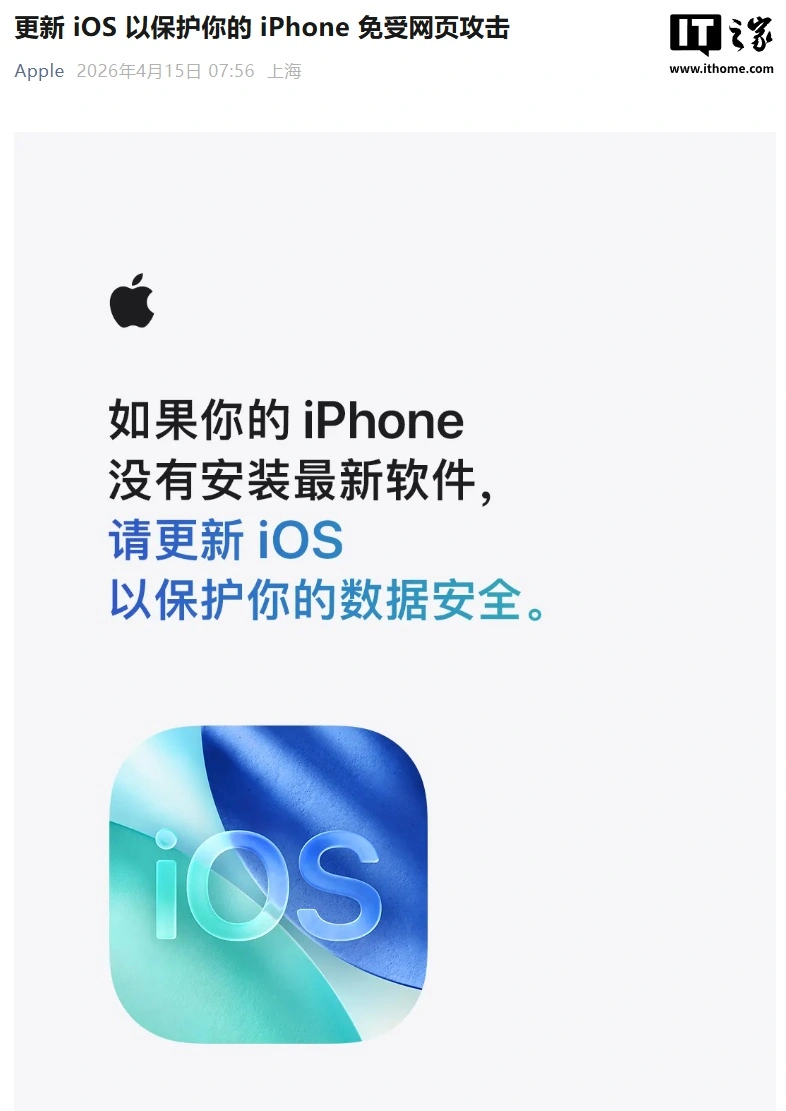
IT之家에 따르면, Apple은 최근 웹페이지 공격으로부터 iPhone의 보안을 강화하고 사용자들에게 중요한 보안 정보를 공유했습니다.
Apple은 구형 iOS 버전이 웹 공격에 취약하다는 보고가 나오자, 전면적인 조사를 거쳐 최신 운영체제 버전을 통해 관련 취약점을 해결하고 공격을 차단하는 소프트웨어 업데이트를 신속하게 배포했습니다.
또한, Apple은 전국 Apple Store 매장, 공인 리셀러 및 서비스 제공업체를 통해 필요한 사용자들에게 소프트웨어 버전 점검 및 업데이트 서비스를 제공하고 있습니다.
사용자 데이터 보호를 위한 권장 사항
사용자들의 데이터 보안을 일상적으로 보호하기 위해 다음과 같은 방법을 권장합니다:
- iOS를 항상 최신 상태로 유지하는 것이 개인 데이터 보안을 지키는 가장 중요한 단계입니다.
- '설정'에서 시스템 자동 업데이트 기능을 켜두고, 출처가 불분명한 문자 메시지의 링크는 누르지 않으며, 소프트웨어 다운로드는 가급적 App Store를 통해서만 진행하는 것이 좋습니다.
- iOS 업그레이드에 관한 문의사항은 Apple 지원 웹사이트(https://support.apple.com/zh-cn)를 방문하거나, iPhone을 가지고 전국 Apple Store 매장, 공인 리셀러 및 서비스 제공업체에 방문하여 점검 및 업데이트 서비스를 받으시면 됩니다.
가능하다면, 강력한 보안 보호 기능을 포함하는 최신 버전의 iOS로 업데이트하는 것이 좋습니다.
주요 업데이트 및 보안 기능 안내
Apple은 구형 기기 사용자들을 위해 단계별로 보안 업데이트를 제공하고 있습니다:
- 최신 업데이트 적용: 최신 업데이트 버전(iOS 15부터 iOS 26까지)을 실행하는 기기는 이미 보호를 받고 있습니다. 최근 소프트웨어 업데이트를 하지 않았다면, iPhone에서 iOS를 업데이트해 주세요.
- 구형 기기 지원: Apple은 2026년 3월 11일, iOS 15 및 iOS 16에 대한 업데이트를 발표하여 최신 iOS 버전으로 업데이트할 수 없는 구형 기기까지 보호 범위를 확장했습니다.
- 필수 업데이트: iOS 13 또는 iOS 14를 사용하는 기기는 이 보호 기능을 받기 위해 iOS 15로 업데이트해야 합니다.
- 자동 업데이트 기능: 2026년 4월 1일부터는 더 많은 기기에 iOS 18.7.7이 제공되어, 자동 업데이트 기능을 활성화한 사용자는 중요한 보안 보호를 자동으로 받을 수 있습니다.
- 추가 알림: 구형 iOS 18 버전을 사용하는 기기에는 사용자에게 핵심 보안 업데이트 설치를 알리는 추가 알림이 전송됩니다.
추가적으로, Safari 브라우저의 Apple 안전 브라우징 기능은 기본적으로 활성화되어 있어, 공격에서 식별된 악성 URL 도메인을 차단할 수 있습니다.
참고: 업데이트가 불가능한 기기의 경우, 기기가 지원한다면 잠금 모드(Lock Mode)를 활성화하여 악성 웹 콘텐츠 및 기타 위협으로부터 기기를 보호하는 것을 고려해 볼 수 있습니다.
총평
이번 Apple의 발표는 구형 iOS 버전 사용자를 포함한 모든 사용자에게 보안 취약점 위험을 경고하고, 최신 보안 패치를 적용하는 것이 필수적임을 강조합니다. 사용자는 주기적으로 iOS를 최신 상태로 유지하고, 공식적인 경로를 통해서만 소프트웨어 업데이트를 진행하여 개인 정보를 안전하게 보호해야 합니다.
安全漏洞修复与官方支持
Apple 近期针对过时版本 iOS 易受网页攻击的问题进行了全面调查,并已发布相关软件更新以阻断潜在威胁。同时,Apple 在全国范围内的 Apple Store、授权经销商及授权服务提供商均可为用户提供系统检测与更新服务。
日常数据安全建议
为了保障个人数据安全,Apple 建议用户采取以下防护措施:
- 保持 iOS 系统始终处于最新状态。
- 在“设置”中开启系统自动更新。
- 不点击陌生短信中的链接。
- 仅通过 App Store 下载软件。
特定版本与功能说明
针对不同版本的设备,Apple 提供了相应的安全保护措施:
- 运行 iOS 15 至 iOS 26 的设备已获得相关安全保护。
- 于 2026 年 3 月 11 日发布的更新旨在为无法更新到最新系统的旧设备(iOS 15 和 iOS 16)提供保护。
- 于 2026 年 4 月 1 日开始,更多设备将获得 iOS 18.7.7 版本以获取关键安全保护。
- Safari 浏览器默认开启“安全浏览”功能,用于拦截识别出的恶意 URL 域。
- 对于无法更新的设备,若硬件支持,建议启用“锁定模式”以防范威胁。
总结
Apple 发布了针对广泛 iOS 版本(包括 iOS 15 至 iOS 26)的安全性更新,旨在防御网页攻击并保护用户数据。官方强调通过保持系统最新、开启自动更新以及利用 Safari 的安全功能等手段来强化设备防护。
iOSのセキュリティ強化およびアップデートのお知らせ
IT之家によると、Appleは最近、ウェブページからの攻撃に対するiPhoneのセキュリティを強化し、ユーザーに対して重要なセキュリティ情報を公開しました。
Appleは古いiOSバージョンがWeb攻撃に対して脆弱であるとの報告を受け、徹底的な調査を実施。最新のOSバージョンを通じて関連する脆弱性を修正し、攻撃を遮断するためのソフトウェアアップデートを迅速に配信しました。
また、Appleは全国のApple Store、公認リセラー、およびサービスプロバイダーを通じて、必要なユーザーに対してソフトウェアバージョンの確認およびアップデートサービスを提供しています。
ユーザーデータの保護に関する推奨事項
ユーザーのデータセキュリティを日常的に守るために、以下の方法が推奨されています。
- iOSを常に最新の状態に保つことは、個人データのセキュリティを守るための最も重要なステップです。
- 「設定」からシステムの自動アップデート機能をオンにし、出所不明なSMSに含まれるリンクはクリックせず、ソフトウェアのダウンロードは可能な限りApp Storeを通じてのみ行うことが推奨されます。
- iOSのアップグレードに関する問い合わせがある場合は、Appleサポートのウェブサイト(https://support.apple.com/zh-cn)を訪問するか、iPhoneを持参して全国のApple Store、公認リセラー、またはサービスプロバイダーで確認およびアップデートを受けることができます。
可能な限り、強力なセキュリティ保護機能を備えた最新バージョンのiOSにアップデートすることが推奨されます。
主要なアップデートとセキュリティ機能の案内
Appleは古いデバイスのユーザー向けに、段階的なセキュリティアップデートを提供しています。
- 最新アップデートの適用: 最新のアップデートバージョン(iOS 15からiOS 26まで)を実行しているデバイスはすでに保護されています。最近ソフトウェアを更新していない場合は、iPhoneでiOSを更新してください。
- 旧デバイスへの対応: Appleは2026年3月11日にiOS 15およびiOS 16向けのアップデートを発表し、最新のiOSバージョンに更新できない古いデバイスまでの保護範囲を拡大しました。
- 必須のアップデート: iOS 13またはiOS 14を使用しているデバイスは、この保護機能を受けるためにiOS 15へアップデートする必要があります。
- 自動アップデート機能: 2026年4月1日からは、より多くのデバイスにiOS 18.7.7が提供され、自動更新を有効にしているユーザーは重要なセキュリティ保護を自動的に受けることができます。
- 追加の通知: 古いバージョンのiOS 18を使用しているデバイスには、重要なセキュリティアップデートのインストールを知らせる追加の通知が送信されます。
さらに、Safariブラウザの「Apple安全なブラウジング」機能はデフォルトで有効になっており、攻撃から特定された悪意のあるURLドメインをブロックします。
注意: アップデートが不可能なデバイスの場合、対応している場合は「ロックモード(Lock Mode)」を有効にして、悪意のあるWebコンテンツやその他の脅威からデバイスを保護することを検討してください。
まとめ
Appleは古いiOSを含むすべてのユーザーに対し、セキュリティ脆弱性のリスクを警告し、最新のセキュリティパッチを適用することの重要性を強調しています。個人情報を安全に守るため、定期的にシステムを最新の状態に保ち、公式なルートを通じてソフトウェアを管理することが推奨されます。
iOS Security Enhancement and Update Information
According to IT House, Apple has recently strengthened iPhone security against webpage attacks and shared critical security information with its users.
Following reports that older iOS versions were vulnerable to web-based attacks, Apple conducted a comprehensive investigation and promptly released software updates for the latest operating system versions to resolve these vulnerabilities and block potential attacks.
Furthermore, Apple is providing software version checks and update services through Apple Store locations, authorized resellers, and service providers to assist users in need.
Recommendations for User Data Protection
To protect user data on a daily basis, the following practices are recommended:
- Keeping iOS updated to the latest version is the most critical step in maintaining personal data security.
- Enable the automatic update feature in 'Settings,' avoid clicking links in text messages from unknown sources, and perform software downloads primarily through the App Store.
- For inquiries regarding iOS upgrades, visit the Apple Support website (https://support.apple.com/zh-cn) or visit an Apple Store, authorized reseller, or service provider with your iPhone to receive inspection and update services.
Whenever possible, it is recommended to update to the latest version of iOS that includes robust security features.
Key Updates and Security Features
Apple is providing phased security updates specifically for users of older devices:
- Applying Latest Updates: Devices running current versions (from iOS 15 to iOS 26) are already protected. If you have not performed a recent software update, please update the iOS on your iPhone.
- Support for Older Devices: On March 11, 2026, Apple announced updates for iOS 15 and iOS 16, extending the protection range to older devices that cannot be updated to the latest version.
- Required Updates: Devices running iOS 13 or iOS 14 must update to iOS 15 to receive these security protections.
- Automatic Update Feature: Starting April 1, 2026, more devices will be provided with iOS 18.7.7, allowing users who have enabled automatic updates to receive critical security protection automatically.
- Additional Notifications: Devices running older versions of iOS 18 will receive additional notifications alerting them to install core security updates.
Additionally, the Apple Safe Browsing feature in the Safari browser is enabled by default to block malicious URL domains identified as threats.
Note: For devices that cannot be updated, consider enabling Lock Mode (if supported) to protect the device from malicious web content and other threats.
Summary
Apple has implemented a series of security updates across various iOS versions to defend against web-based attacks and ensure user data remains secure. The company is providing phased support for older devices while promoting features like Safari's Safe Browsing and automatic updates. Users are strongly encouraged to keep their software current through official channels to maintain the highest level of protection.
安全更新与官方支持
Apple 近期针对过时版本 iOS 易受网页攻击的问题进行了全面调查,并已发布相关软件更新以阻断潜在威胁。同时,Apple 在全国范围内的 Apple Store、授权经销商及服务提供商均可为用户提供系统版本检测与更新服务。
数据安全建议
为了保障个人数据安全,Apple 建议用户采取以下防护措施:
- 保持 iOS 系统处于最新状态;
- 在“设置”中开启系统自动更新;
- 不点击陌生短信中的链接;
- 仅通过 App Store 下载软件。
版本保护与技术细节
针对不同版本的设备,Apple 提供了以下具体的安全保障信息:
- 运行 iOS 15 至 iOS 26 的设备已获得相关安全保护;
- 2026 年 3 月 11 日发布的更新旨在将保护范围扩展至无法更新到最新版本但支持 iOS 15 和 iOS 16 的旧设备(要求 iOS 13 或 14 设备必须升级至 iOS 15);
- 2026 年 4 月 1 日起,更多设备将获得 iOS 18.7.7 以提供关键安全保护;
- Safari 浏览器默认开启“Apple 安全浏览”功能,用于拦截识别出的恶意 URL。
对于无法更新至最新版本但硬件支持的设备,建议用户启用“锁定模式”以防范恶意内容。
总结
Apple 发布了针对过时 iOS 版本网页攻击的专项安全更新,并明确了从 iOS 15 到 iOS 26 等不同版本的保护范围。官方强调通过保持系统最新、开启自动更新及使用 App Store 等手段是保障用户数据安全的关键步骤。
iOSのセキュリティ強化およびアップデート情報
IT之家の報道によると、Appleはウェブページからの攻撃に対するiPhoneのセキュリティを強化し、ユーザーに対して重要なセキュリティ情報を公開しました。
古いiOSバージョンがWeb攻撃に対して脆弱であるとの報告を受け、Appleは徹底的な調査を実施。最新のOSバージョンを通じて関連する脆弱性を修正し、攻撃を遮断するためのソフトウェアアップデートを迅速に配信しました。
また、Appleは全国のApple Store、公認リセラー、およびサービスプロバイダーを通じて、必要なユーザーに対してシステムチェックおよび更新サービスを提供しています。
ユーザーデータの保護に関する推奨事項
日常的なデータセキュリティを確保するために、以下の対策が推奨されています。
- iOSを常に最新の状態に保つことは、個人データのセキュリティを守るための最も重要なステップです。
- 「設定」からシステムの自動アップデート機能をオンにし、出所不明なSMSに含まれるリンクはクリックせず、ソフトウェアのダウンロードは可能な限りApp Storeを通じてのみ行うことが推奨されます。
- iOSのアップグレードに関する問い合わせがある場合は、Appleサポートのウェブサイト(https://support.apple.com/zh-cn)を訪問するか、iPhoneを持参して全国のApple Store、公認リセラー、またはサービスプロバイダーで確認およびアップデートを受けることができます。
可能な限り、強力なセキュリティ保護機能を備えた最新バージョンのiOSにアップデートすることが推奨されます。
主要なアップデートとセキュリティ機能の案内
Appleは古いデバイスのユーザー向けに、段階的なセキュリティアップデートを提供しています。
- 最新アップデートの適用: 最新のアップデートバージョン(iOS 15からiOS 26まで)を実行しているデバイスはすでに保護されています。最近ソフトウェアを更新していない場合は、iPhoneでiOSを更新してください。
- 旧デバイスへの対応: Appleは2026年3月11日に、iOS 15およびiOS 16向けのアップデートを発表し、最新のiOSバージョンに更新できない古いデバイスまでの保護範囲を拡大しました。
- 必須のアップデート: iOS 13またはiOS 14を使用しているデバイスは、この保護機能を受けるためにiOS 15へアップデートする必要があります。
- 自動アップデート機能: 2026年4月1日からは、より多くのデバイスにiOS 18.7.7が提供され、自動更新を有効にしているユーザーは重要なセキュリティ保護を自動的に受けることができます。
- 追加の通知: 旧バージョンのiOS 18を使用しているデバイスには、重要なセキュリティアップデートのインストールを知らせる追加の通知が送信されます。
さらに、Safariブラウザの「Apple安全なブラウジング」機能はデフォルトで有効になっており、攻撃から特定された悪意のあるURLドメインをブロックします。
注意: アップデートが不可能なデバイスの場合、ハードウェアが対応している場合は「ロックモード(Lock Mode)」を有効にして、悪意のあるWebコンテンツやその他の脅威からデバイスを保護することを検討してください。
まとめ
Appleはウェブ攻撃に対する脆弱性を解消するため、広範なiOSバージョン向けのセキュリティアップデートを提供しています。ユーザーは常にシステムを最新の状態に保ち、自動更新の有効化やSafariの安全機能の活用など、公式なルートを通じてデバイスの安全性を確保することが推奨されます。
iOS Security Enhancement and Update Information
According to IT House, Apple has recently strengthened iPhone security against webpage attacks and shared critical information regarding these protections with its users.
Following reports that older iOS versions were vulnerable to web-based attacks, Apple conducted a comprehensive investigation and promptly released software updates for the latest operating system versions to resolve these vulnerabilities and block potential threats.
Additionally, Apple is providing software version checks and update services through its network of Apple Store locations, authorized resellers, and service providers to assist users who require assistance.
Recommendations for User Data Protection
To ensure the ongoing security of personal data, the following practices are recommended:
- Keeping iOS updated to the latest version is the most critical step in maintaining personal data security.
- Enable the automatic update feature in 'Settings,' avoid clicking links in text messages from unknown sources, and perform software downloads primarily through the App Store.
- For inquiries regarding iOS upgrades, visit the Apple Support website (https://support.apple.com/zh-cn) or visit an Apple Store, authorized reseller, or service provider with your iPhone to receive inspection and update services.
Whenever possible, it is recommended to update to the latest version of iOS that includes robust security features.
Key Updates and Security Features
Apple is providing phased security updates for users of older devices:
- Latest Update Application: Devices running the latest update versions (from iOS 15 to iOS 26) are already protected. If you have not recently updated your software, please update your iPhone's iOS.
- Legacy Device Support: On March 11, 2026, Apple released updates for iOS 15 and iOS 16 to expand the protection range to older devices that cannot be updated to the latest version.
- Required Updates: Devices running iOS 13 or iOS 14 must be updated to iOS 15 to receive these security protections.
- Automatic Update Feature: Starting April 1, 2026, more devices will receive iOS 18.7.7, allowing users with automatic updates enabled to receive critical security protection automatically.
- Additional Notifications: Devices running older versions of iOS 18 will receive additional notifications notifying them to install essential security updates.
Furthermore, the "Safe Browsing" feature in the Safari browser is enabled by default to block malicious URL domains identified as threats.
Note: For devices that cannot be updated, consider enabling Lock Mode (if supported) to protect the device from malicious web content and other threats.
Summary
Apple has released a series of security updates across various iOS versions to defend against web-based attacks and protect user data. The company emphasizes that users should maintain the latest software, utilize automatic update features, and leverage built-in tools like Safari's Safe Browsing to ensure maximum device security.